Why Is My Air Purifier Sensor Ring Flashing Blue And Red?
Your air purifier suddenly flashes blue and red. You glance at it, confused. What does this mix of colors even mean?
Most air purifiers use light rings to show air quality. Blue usually means the air is clean. Red often signals a problem that needs attention.
But when both colors flash together, things get tricky. Is your unit broken? Does it need a new filter? Or is something else going on?
This mix of signals can feel confusing. You just want clean air without the guesswork.
The good news is that this issue is common and fixable. Most causes are simple, like a filter reset or a sensor that needs cleaning.
In a Nutshell
- Blue means clean air. Your purifier shows blue when air quality is excellent and everything works fine.
- Red signals a problem. This usually points to a filter issue, sensor error, or the need for a reset.
- Both colors flashing together often means the filter timer needs resetting or the sensor needs cleaning.
- Always check filter installation first. A loose or incorrectly placed filter can trigger false alerts even when the air is clean.
- Reset the unit properly. Hold the reset button for the time listed in your manual, usually between 5 and 15 seconds.
- If flashing continues, unplug the unit for ten minutes. This simple step lets the sensor recalibrate itself.
- Clean the sensor if lights stay red or confused after resetting and replacing the filter.
- Ignoring these signals can lead to poor air quality or unnecessary filter replacements.
What the Sensor Ring Colors Mean
Your air purifier uses a color coded system to communicate air quality and device status. Understanding what each color means helps you respond quickly to any alerts.
Blue light indicates excellent air quality. When your sensor ring glows steady blue, your purifier is working perfectly. The air in your space is clean, and the system is functioning as designed. Blue is the best outcome you can get from your device.
Red light signals a problem that needs attention. This color appears when your filter is dirty, the filter timer needs resetting, or the sensor itself has an issue. Red demands immediate action from you. Ignoring it will reduce your air purifier’s effectiveness.
Yellow or orange typically means fair air quality. These colors appear when air quality is moderate but not optimal. Your purifier is still working, but pollution levels are higher than ideal.
Green shows good air quality. When your sensor ring displays green, the air quality is acceptable. Your purifier is actively cleaning the air and maintaining healthy conditions.
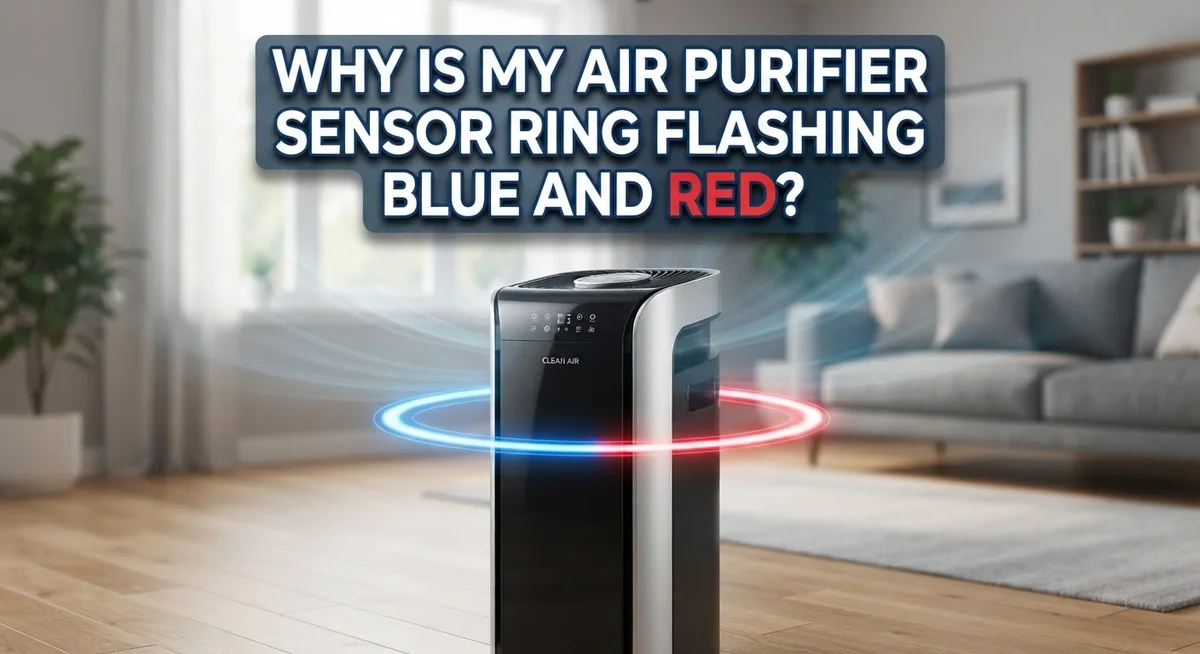
When both blue and red flash together, you have a specific problem. This usually means one of three things: your filter was recently replaced but the timer wasn’t reset, the filter isn’t installed correctly, or the sensor needs cleaning.
The flashing pattern matters too. Continuous flashing means the issue is active and urgent. A slow blink suggests a less critical problem. Pay attention to how fast the light blinks, as this tells you the severity level.
Check your manual for your exact model’s color codes. Some purifiers use slightly different color meanings. Your manual will show the precise color scheme and what each combination means. Keep this information handy for quick reference whenever you see unusual light patterns on your device.
Common Reasons the Ring Flashes Blue and Red
Your air purifier’s sensor ring flashing both blue and red together signals a specific issue that needs your attention. This combination usually means one of three things is happening with your device.
Filter timer requires resetting. When you install a new filter, the device’s internal timer does not automatically know about it. The sensor ring keeps flashing red because the system still thinks the old filter is in place. This is the most common reason you see both colors flashing. Your manual will tell you exactly how long to hold the reset button. Most units require 5 to 15 seconds of continuous pressure.
The filter is installed incorrectly. Even a slightly loose or misaligned filter triggers false alerts. The sensor cannot detect proper airflow when the filter sits at an angle or does not seal completely. Double check that your filter clicks or locks into place as your manual describes. Remove it completely and reinstall it to make sure it sits flush.
Your sensor needs cleaning. Dust buildup on the internal sensors confuses the light ring. When sensors get dirty, they send mixed signals to the display system. This causes both colors to flash as the device tries to communicate conflicting information. You can gently clean sensors with a soft, dry cloth if your manual permits access to them.
Power cycling helps in some cases. Unplug your purifier for 10 minutes to let the system fully reset. This recalibrates the sensors and clears any temporary errors. Plug it back in and check if the flashing stops.
Start with filter installation and reset attempts first. These solve the problem in most situations. If flashing continues after these steps, your sensor may have a deeper issue requiring professional inspection.
How to Properly Reset the Sensor After a Filter Change
After you install a new filter, your air purifier needs to recognize the change. The sensor ring may flash blue and red because the device still thinks the old filter is in place. This is where a proper reset becomes essential.
Start by locating your reset button. Most units have this button on the back or bottom of the device. Check your manual to find the exact location for your model. The button is often small and may require a pen or paperclip to press.
Hold the reset button for the correct duration. Most air purifiers need you to press and hold for 5 to 15 seconds. Your manual will specify the exact time. Keep holding until the light turns off or changes color. Releasing too early means the reset did not complete.
Watch for the light response. A successful reset usually shows the light turning off briefly, then returning to a steady color. The ring should display blue (excellent air quality) or green (good air quality) once the reset finishes. If it continues flashing red and blue, the reset did not work.
If the first reset fails, try a power cycle. Unplug the entire unit from the wall outlet. Wait for 10 minutes. This gives the internal system time to fully discharge and recalibrate. Plug it back in and attempt the reset button process again.
Verify your filter installation one more time. Before resetting, make sure the filter sits properly in its slot. A loose or misaligned filter can prevent successful resets. Push the filter in firmly until you hear or feel it click into place.
Test the sensor after resetting. The light should now display a stable color that matches your current air quality. If flashing persists, your sensor may need cleaning or the device may need service.
Step-by-Step: Recalibrating an Unresponsive Sensor Ring
When your sensor ring continues flashing blue and red after basic troubleshooting, recalibration becomes necessary. This process resets your purifier’s internal sensors to their factory state.
Start by unplugging your unit from the wall outlet. Leave it disconnected for a full 10 minutes. This allows all electrical charge to drain completely from the system’s memory. During this time, the sensor ring will go dark.
After 10 minutes have passed, plug the unit back in. The light ring should illuminate as the system powers on. Watch carefully during this startup sequence. The sensor is now recalibrating itself automatically.
Press and hold the reset button once more for 5 to 15 seconds depending on your model. Consult your manual for the exact duration. You should see the light respond by turning off briefly or changing color. This confirms the recalibration has started.
If the light still flashes both blue and red, locate your internal sensors. Most are positioned near the air intake vents. Use a soft, dry cloth to gently wipe these sensors clean. Dust buildup often causes false readings that survive regular resets.
Reassemble everything carefully and plug the unit back in. The sensor ring should now display a stable color. If it still flashes blue and red, your sensor may have a hardware problem requiring professional service.
Keep your purifier unplugged while performing any cleaning. Never use water or liquid cleaners on sensors. Let the unit sit for at least 30 minutes after cleaning before plugging it back in.
Document what color appears after recalibration. A stable green or blue indicates success. If problems persist, your purifier likely needs internal repairs from a qualified technician.
Cleaning and Maintaining the Air Quality Sensor
Your air purifier’s sensor ring needs regular attention to work properly. Dust and particles build up on the internal sensors over time. This buildup causes false color readings and makes the light flash incorrectly.
Start by checking your manual for sensor location. Most models have sensors near the air intake or inside the filter chamber. You’ll need to access these areas to clean them safely.
Before you begin, always unplug your unit from the wall. Never clean sensors while the device has power. This protects both you and the purifier’s electronics.
Use a soft, dry cloth to gently wipe the sensor surfaces. Avoid paper towels or rough materials that scratch delicate components. If dust is stubborn, use a slightly damp cloth with distilled water only. Let all parts dry completely before reassembling.
Pay special attention to sensor lens areas. These clear or translucent parts detect air quality levels. Even small dust particles block their ability to read accurately. Wipe these gently in one direction rather than circular motions.
Check the sensor connections while you have the unit open. Loose wires or corroded contacts prevent proper signals. Reconnect any loose cables firmly but without forcing them.
After cleaning, reassemble your purifier exactly as it was. Make sure all panels and covers click into place. Improper reassembly can trigger false alerts just like dirty sensors do.
Plug the unit back in and observe the light ring. It should return to normal operation within a few minutes. If the ring still flashes blue and red after cleaning, the sensor itself may be faulty and need replacement.
Clean your sensors every 2 to 4 weeks depending on your environment. Homes with pets or high dust levels need more frequent cleaning. Regular maintenance prevents most sensor ring problems before they start.
Mistakes That Trigger False or Persistent Alerts
Many people make simple mistakes that cause their air purifier’s sensor ring to flash blue and red continuously. Understanding these errors helps you fix the problem quickly.
The most common mistake is skipping the filter reset. You install a new filter, but forget to press the reset button. Your purifier still thinks the old filter is active. The sensor detects fresh air flow from the new filter and becomes confused. This triggers the flashing lights. Always reset your filter timer immediately after installation.
Improper filter installation creates false alerts too. Your filter sits slightly crooked in its slot. Air flows around the filter instead of through it. The sensor detects poor air quality because unfiltered air passes by. Double check that your filter clicks or locks into place. Push it straight down until it sits flush with the frame.
Dirty sensors cause persistent flashing that won’t stop. Dust and particles collect on the sensor lens over time. Your sensor can’t read air quality accurately anymore. It alternates between blue and red because it receives mixed signals. A quick wipe with a soft, dry cloth usually solves this problem.
Power cycling mistakes also trigger false alarms. You unplug your unit for only a few seconds before plugging it back in. Your purifier needs a full 10 minutes disconnected to recalibrate properly. Partial power cycles don’t reset the internal memory completely.
Ignoring connection issues leads to ongoing problems. Check that your sensor cables remain firmly attached inside the unit. Loose wires prevent the sensor from communicating with your display ring. A disconnected sensor can’t send reliable signals, so the light flashes randomly.
These mistakes are easy to prevent once you know what causes them. Take time to reset properly, install filters correctly, and keep sensors clean. Your sensor ring will display accurate colors and stop flashing unnecessarily.
Troubleshooting When the Flashing Won’t Stop
When your air purifier’s sensor ring keeps flashing blue and red without stopping, you need a systematic approach to fix it. The light pattern tells you something specific is wrong, and ignoring it won’t help.
First, check if you recently replaced the filter. Many people install a new filter but forget to reset the timer. Your unit thinks the old filter is still active, which triggers the alarm. Find your reset button in the manual and press it for 5 to 15 seconds depending on your model. Hold it until the light turns off completely.
If the flashing continues, power cycle your unit properly. Unplug it from the wall outlet and wait a full 10 minutes. This gives the internal system time to recalibrate and clear any false signals. After 10 minutes, plug it back in and observe what happens.
Next, inspect your filter installation. Open the unit and check that your filter sits correctly in its slot. A crooked or improperly seated filter creates false alerts that won’t stop. Remove it and reinstall it carefully until you hear it click into place.
Still flashing? Your sensors need cleaning. Locate them in your manual (usually near the air intake). Unplug the unit first, then gently wipe the sensor surfaces with a soft, dry cloth. Pay special attention to any clear or translucent lens areas. These parts detect air quality and get dirty over time.
Check all internal connections while you have the unit open. Loose wires can cause persistent flashing. Reconnect anything that looks disconnected, then reassemble everything exactly as it was.
If the light still flashes after these steps, you may have a faulty sensor that needs replacement. Contact the manufacturer for guidance on your specific model. Don’t continue using the unit if the alert won’t stop, as it may indicate a real air quality problem you need to address.
Final Thoughts
Your air purifier’s flashing blue and red ring is not something to fear. It simply means your device wants your attention. Understanding what these colors mean helps you respond quickly and correctly.
Blue signals clean air, while red points to poor air quality or a system issue. When both colors flash together, your unit is telling you something needs fixing. This could be a sensor problem or a reset that never happened.
Most of the time, the fix is simple. A quick reset after filter replacement often solves the issue right away. Other times, your sensors just need a gentle cleaning to work properly again.
Don’t let a flashing light cause worry. Think of it as a helpful signal from your machine. Your air purifier is designed to communicate clearly, and once you learn its language, these alerts become easy to understand.
Regular care makes a big difference here. Checking your filter installation and keeping sensors clean prevents most flashing issues before they start. A few minutes of attention can save you confusion later.
If you follow the steps outlined above and the flashing still won’t stop, don’t get frustrated. Sometimes a sensor simply wears out over time. This happens with any electronic device, and it’s a normal part of ownership.
Keep your manual handy for model specific instructions, since reset procedures can vary slightly between units. When in doubt, a simple power cycle often resolves temporary glitches without extra effort.
Your air quality matters, and your purifier works hard to protect it. Understanding its light signals helps you keep clean air flowing through your home. With a little patience, you’ll handle any flashing light situation with confidence.
Frequently Asked Questions
What does the blue and red flashing mean together?
When your sensor ring flashes both blue and red at the same time, it signals a sensor or reset issue. Blue means your air is clean. Red means something needs attention. Together, they indicate your purifier’s brain is confused about the current state.
This usually happens after filter replacement when you forget to reset the timer. It can also mean your sensors need cleaning or your unit needs a proper power cycle.
Why is my light still red after I installed a new filter?
Your filter timer wasn’t reset. Even with a fresh filter inside, the purifier’s system doesn’t know it’s new. You must press the reset button for 5 to 15 seconds (check your manual for your exact model).
If red persists after resetting, your filter may be installed incorrectly. Double check that it sits flat in its slot with no twists or gaps.
Should I clean or replace my sensors?
Clean your sensors first. They collect dust and debris over time, which causes false red alerts. Gently wipe internal sensors with a soft, dry cloth.
Only replace sensors if cleaning doesn’t work and red flashing continues for days. Most manufacturers include sensor cleaning in regular maintenance, not replacement.
How long should I power cycle my purifier?
Unplug your unit for a full 10 minutes. This gives the system time to recalibrate completely. A quick unplug for a few seconds won’t work.
After 10 minutes, plug it back in and watch the light ring. It should cycle through colors and settle on blue or green if your air is clean.

I’m Maya Brown, the voice behind Pure Breeze Vault. I write detailed, honest, and easy-to-follow air purifier reviews to help readers compare features, understand filter technologies, and choose products with confidence. My goal is to make research simpler, clearer, and more practical for anyone improving indoor air quality at home.