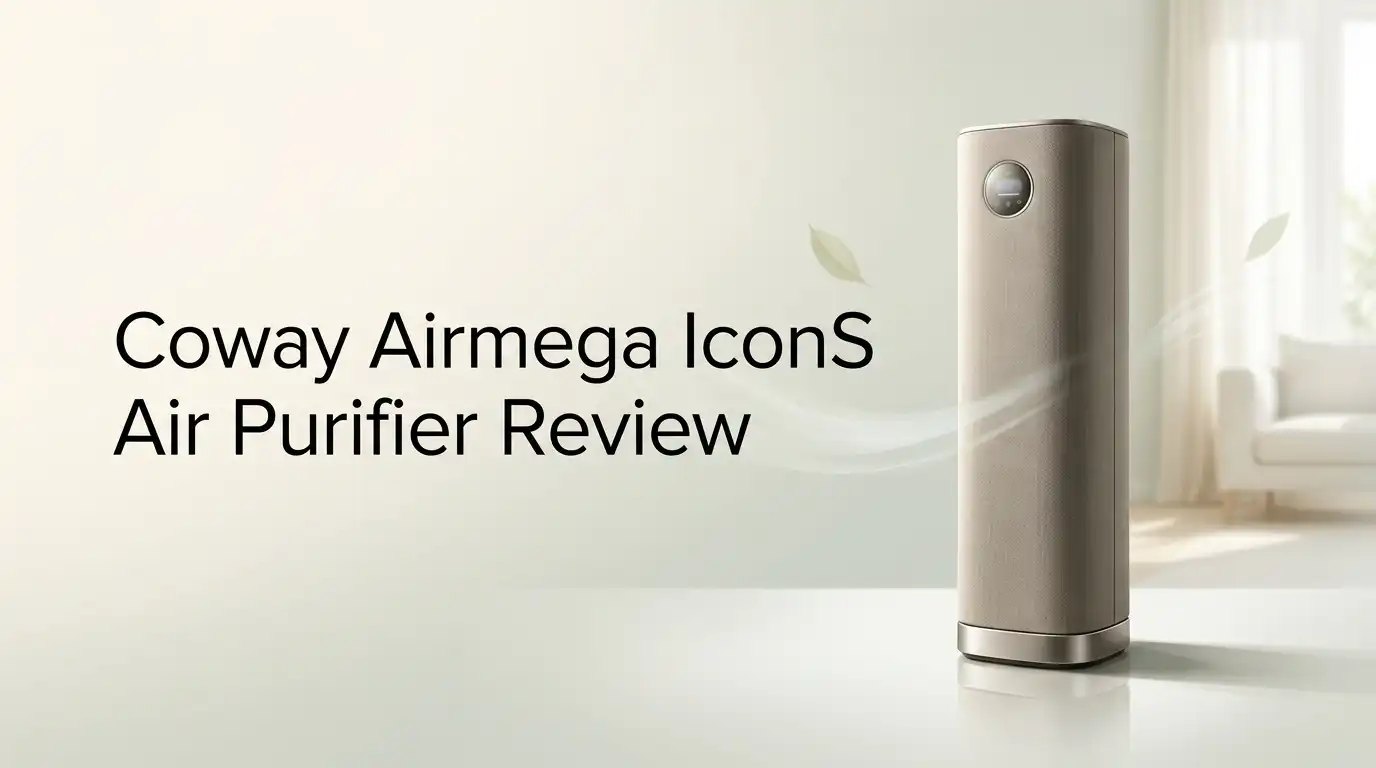
Coway Airmega IconS Air Purifier Review 2026: Worth It?
Air purifiers usually look like plastic boxes you hide behind a couch. The Coway Airmega IconS takes a different path.
It looks like a low side table, charges your phone on top, and quietly cleans the air while guests assume it is furniture. That mix of design and function makes it one of the most talked about purifiers of the past few years.
If you want a purifier that performs like a showpiece and works as one too, keep reading. By the end you will know whether the IconS belongs in your living room or whether your money buys more clean air somewhere else.
Key Takeaways:
- The design is the headline feature. The Airmega IconS looks like a fabric covered side table with wooden legs. It stands 21.4 inches tall, weighs 19.2 pounds, and has won six international design awards. You will not want to hide this one in a corner.
- Performance is good, not class leading. The CADR sits at 173 smoke, 194 dust, and 235 pollen. That is lower than the Airmega 400S and even the older AP-1512HH. Realistic coverage is 324 square feet at four air changes per hour, not the 1,298 square foot headline number.
- The wireless charging pad is genuinely useful. A Qi compatible pad sits on the top panel. It charges phones and earbuds while the unit runs. It adds about 20 watts when active.
- It is extremely quiet. Sleep mode measures around 21.7 decibels, which is near silent. Top speed reaches roughly 49.3 decibels, similar to a soft refrigerator hum.
- The smart features work well. Wifi, the IoCare app, Alexa, and Google Home all connect. You get real time air quality readings, filter tracking, and remote fan control.
- The price is the biggest obstacle. The IconS launched at $749 and still sits well above purifiers that move more air. You pay a design premium here, and you should know that before buying.
What Is the Coway Airmega IconS?

Last update on 2026-11-17 / Affiliate links / Images from Amazon Product Advertising API
The Coway Airmega IconS is the smart version of the Airmega Icon. Coway built it with designer Yves Behar and his studio fuseproject. The goal was simple: make an air purifier people want to display instead of hide.
The unit pulls air in through vents around the back and pushes clean air out of the top. It uses a washable prefilter and a combined Max2 filter that pairs activated carbon with Coway Green True HEPA media.
The S in the name matters. The standard Icon has no wifi. The IconS adds wifi, IoCare app control, and voice commands through Alexa and Google Home. Both models share the same body, same filters, same fan, and same wireless charging pad.
Think of the IconS as furniture that happens to clean your air. That framing explains both its strengths and its price tag.
Unboxing the Coway Airmega IconS
The box arrives heavy and flat, closer to a furniture carton than an appliance box. Inside you find the purifier itself, the Max2 filter sealed in plastic, four legs, and a short manual. There is no bundle of extra filters, which stings slightly at this price.
The first thing you notice is the fabric. The cover feels soft, almost like upholstery, and Coway treats it to resist water and stains. It feels expensive in your hands.
Setup takes under ten minutes. You attach the legs, pull off the magnetic back cover, unwrap the filter, slide it in, and press the cover back on. No tools are needed at any point.
The power cord is wrapped in cloth, a small touch that matches the furniture theme. Pairing the IconS with the IoCare app took about three minutes on a 2.4 GHz network.
Design and Build Quality
The IconS measures 22.3 inches wide, 8.8 inches deep, and 21.4 inches tall. The slim depth lets it sit flush against a wall or beside a sofa without blocking a walkway.
Build quality feels solid. At 19.2 pounds it does not wobble, and the legs keep it stable on both hardwood and carpet. The magnetic back panel snaps on cleanly with no rattles.
The top panel is the star. Touch controls light up when your hand approaches, then fade away. A small digital readout shows your PM2.5 number, and a light ring shifts between teal, green, yellow, and red based on air quality.
One honest complaint: the beige fabric shows dust. Coway recommends wiping it with a soft cloth regularly, and staining caused by neglect is not covered under service. Owners with pets or small children should expect frequent dusting.
Coway Airmega IconS Filtration System Explained
Last update on 2026-11-17 / Affiliate links / Images from Amazon Product Advertising API
The IconS uses a two stage system that Coway counts as three layers of protection. The washable prefilter catches hair, lint, and large dust. You rinse it, dry it fully, and slide it back.
Behind that sits the Max2 filter. This single cartridge combines an activated carbon layer with a Green True HEPA layer. The carbon handles cooking smells, pet odor, smoke, and gases like nitrogen dioxide and sulfur dioxide.
The HEPA layer captures 99.97% of particles at 0.3 microns. Coway chamber testing claims 99.999% capture of particles down to 0.01 microns, which covers most bacteria, mold spores, and virus sized particles.
The antimicrobial treatment on the HEPA media helps slow microbe growth inside the filter. The all in one cartridge design means fewer parts to order and less chance of installing something backwards. Filter life runs about twelve months with normal use.
Top 3 Alternative for Coway Airmega IconS


Last update on 2026-11-18 / Affiliate links / Images from Amazon Product Advertising API
Coway Airmega 400S

Last update on 2026-11-17 / Affiliate links / Images from Amazon Product Advertising API
Coway Airmega 250S

Last update on 2026-11-11 / Affiliate links / Images from Amazon Product Advertising API
Levoit Core 400S
Room Coverage and CADR Numbers
Coway lists the IconS at 1,298 square feet. That figure assumes one air change per hour, which is weak cleaning for anyone with allergies or asthma.
The number that matters is 324 square feet at four air changes per hour. That is the standard most allergy specialists point to. At two air changes per hour, you get 649 square feet.
The CADR ratings are 173 for smoke, 194 for dust, and 235 for pollen. These are mid range numbers for a premium priced machine. The Airmega 400S pushes 376 smoke CADR, more than double.
So the IconS suits a bedroom, home office, nursery, or modest living room. It will struggle in a large open plan space with high ceilings. Buy it for a room you can measure, not for a whole floor.
The IoCare App and Smart Features
The IoCare app is where the IconS earns its extra letter. Pairing uses Bluetooth first, then hands off to your wifi network. Connection has been stable in testing with few dropouts.
Inside the app you can switch fan speeds, toggle smart mode, set timers, check real time PM2.5, and view filter life as a percentage. The air quality history graph shows spikes from cooking or vacuuming, which is oddly satisfying to watch.
Voice control works through both Alexa and Google Home. Saying “set the air purifier to sleep mode” works reliably.
The weak spot is the app interface itself. It feels dated compared to apps from Levoit or Dyson, and menu navigation takes a few extra taps. It does the job, but nobody will call it polished.
Wireless Charging Pad: Useful or Gimmick?
The Qi compatible charging pad sits on the top surface with a faux wood finish. Drop a phone on it and charging starts immediately. It handles earbuds and smartwatch cases too, depending on the model.
In a bedroom this works surprisingly well. The purifier becomes a nightstand replacement, and the soft light ring doubles as a gentle night light with adjustable mood colors.
Is it worth the price premium though? Honestly, no. A quality wireless charger costs around $25. The IconS commands several hundred dollars more than purifiers with similar airflow.
Treat the charging pad as a nice bonus, not a reason to buy. If it sells you on the unit, make sure the air cleaning specs also fit your room. A charger cannot make up for missing CADR.
Noise Levels in Real Rooms
Quiet operation is one area where the IconS genuinely excels. Sleep mode runs around 21.7 decibels. In a closed bedroom you have to lean close to hear it at all.
Fan speed one is nearly as quiet. Speed two produces a soft whoosh that blends into background noise. Speed three reaches roughly 49.3 decibels, which is noticeable but reads as white noise rather than a mechanical whine.
The lower fan power is partly why it stays so quiet. Less airflow means less turbulence, which is the tradeoff for the modest CADR numbers.
Light sleepers and nursery users will appreciate this. Smart mode also helps, since it drops to minimum speed automatically once the room reads clean. There is no high pitched motor whine, which is a common complaint with cheaper units.
Energy Use and Running Costs
The purifier itself draws 47 watts at maximum. Add the wireless charger in use and total draw reaches about 67 watts. Most of the time it runs far below that.
In smart mode, eco mode shuts the fan off entirely after ten minutes of clean air readings. The fan restarts when the sensor detects a change. This cuts daily consumption noticeably.
Running eight hours a day costs roughly $17 per year at average US electricity rates. That is cheap for a device this size.
One gap worth noting: the IconS does not carry Energy Star certification, unlike several other Coway models. Efficiency is still good in practice, but buyers who shop by certification labels will notice the absence. Annual filter cost adds the larger expense.
Filter Replacement Costs and Maintenance
The Max2 replacement filter runs about $89 and lasts roughly twelve months. For a premium purifier, that is reasonable. Several competing brands ask for two or three filters per year at similar unit prices.
The washable prefilter needs rinsing every two to four weeks, more often in homes with pets. Let it dry completely before reinstalling, or you risk musty odors.
Filter access is easy. Pull the magnetic back cover, swap the cartridge, press the cover back. The whole process takes under two minutes.
The app and the panel light both warn you when replacement is due. One practical tip: wipe the top air outlet grill monthly, since dust collects there and the outlet detaches for cleaning. The fabric cover also needs regular dusting to stay presentable.
What the Coway Airmega IconS Does Not Do Well
Honest reviews list the flaws, so here they are. First, airflow. For the price you can buy purifiers that clean a room two to three times faster, including Coway’s own 400S.
Second, there is no AHAM Verifide listing for this model, so you rely on manufacturer testing rather than third party verification.
Third, the beige fabric is a dust magnet, and staining from neglect is excluded from free service. That is a real ownership cost.
Fourth, color choice is limited. Beige is essentially it, which is strange for a product sold on aesthetics.
Fifth, the app feels behind competitors. Finally, the value equation is hard to defend on performance alone. If clean air per dollar is your metric, the IconS loses that contest decisively.
Pros and Cons of the Coway Airmega IconS
Pros
- Stunning furniture style design that fits living rooms and bedrooms without looking like an appliance
- Extremely quiet, with sleep mode near 21.7 decibels
- Built in Qi wireless charging pad on the top panel
- Full smart package with wifi, IoCare app, Alexa, and Google Home
- Single Max2 filter at about $89 per year keeps running costs sensible
- Tool free filter swaps through a magnetic back panel
- Real time PM2.5 display plus a color coded air quality light ring
- Slim 8.8 inch depth saves floor space against a wall
Cons
- CADR of 173 smoke is low for the price, so cleaning is slower than rivals
- Realistic coverage is 324 square feet, far below the headline 1,298 figure
- No AHAM Verifide rating and no Energy Star certification
- Beige fabric shows dust and needs frequent wiping
- Only one color option available
- The IoCare app interface feels dated
- Price sits well above better performing Coway models
Who Should Buy the Coway Airmega IconS?
This purifier fits a specific buyer. You care about how your home looks. You have a bedroom, nursery, office, or medium living room. You want something quiet that you never have to hide.
It suits apartment dwellers especially well. The slim depth and side table shape save space, and the charging pad removes one more gadget from your nightstand.
It also works for people with mild allergies in a properly sized room. Run it in smart mode and it handles daily dust, pollen, and cooking odors without fuss.
Skip it if you have severe asthma, heavy wildfire smoke exposure, or a large open floor plan. Those situations need higher airflow. Skip it too if you shop purely on specifications, because the math will frustrate you. Design buyers will be happy. Spec buyers will not.
Price and Value in 2026
The IconS launched at $749, with the non smart Icon at $649. Sale prices have appeared closer to $549 in recent years, which changes the value story considerably.
At full price, the value is hard to justify. The Airmega 400S moves more than twice the air and often sells for less during promotions.
At a discounted price, the picture improves. You are paying roughly $150 extra for furniture grade design, a charging pad, and near silent operation. That is a fair trade for many homes.
Amazon listings now show a five year warranty on this model, which is longer than the three year coverage older Coway units carried. Always check the current warranty terms on your specific listing before buying. Coverage details vary by seller and region.
Final Verdict on the Coway Airmega IconS
The Coway Airmega IconS is a well made, genuinely attractive air purifier with solid filtration and excellent quiet operation. It does what it promises in a correctly sized room.
It is also expensive for the airflow it delivers. There is no way around that fact. Coway sells design here, and the engineering is competent rather than exceptional.
My recommendation is simple. If the look matters to you and your room is 300 to 400 square feet, buy it on sale and enjoy it. You will get clean air, near silence, and a piece you do not have to hide.
If raw cleaning power is your priority, buy the Airmega 400S instead and spend the savings elsewhere. Both choices are defensible. Just make the choice with clear eyes about what you are paying for.
Frequently Asked Questions
Is the Coway Airmega IconS worth the price?
It depends on your priority. For design focused buyers with a medium sized room, yes, especially on sale. For buyers who measure value by CADR per dollar, no. Several cheaper purifiers clean faster.
What is the difference between the Airmega Icon and IconS?
The hardware is identical. The IconS adds wifi, IoCare app control, improved Bluetooth pairing, and voice commands through Alexa and Google Home. The standard Icon has none of those features.
How big a room can the Airmega IconS handle?
It covers 1,298 square feet at one air change per hour, 649 square feet at two, and 324 square feet at four. Use the 324 square foot figure for allergy or asthma purposes.
How often do I replace the Max2 filter?
About once every twelve months with normal use. The replacement costs around $89. The panel light and the IoCare app both notify you when the time arrives.
Is the Coway Airmega IconS quiet enough for a bedroom?
Yes. Sleep mode runs around 21.7 decibels, which is near silent. Even the highest fan speed stays around 49.3 decibels and sounds like soft white noise rather than mechanical noise.
Does the wireless charger work with all phones?
It works with Qi compatible devices, which covers most modern iPhone and Android models. Thick cases can interfere. The charger adds roughly 20 watts of draw while active.
Can the Airmega IconS remove wildfire smoke?
It reduces smoke particles through its HEPA and carbon layers. However, its 173 smoke CADR is modest. For heavy wildfire conditions, a higher airflow purifier will clear the room much faster.

I’m Maya Brown, the voice behind Pure Breeze Vault. I write detailed, honest, and easy-to-follow air purifier reviews to help readers compare features, understand filter technologies, and choose products with confidence. My goal is to make research simpler, clearer, and more practical for anyone improving indoor air quality at home.