Why Is My Air Purifier Air Quality Sensor Always Reading Poor?
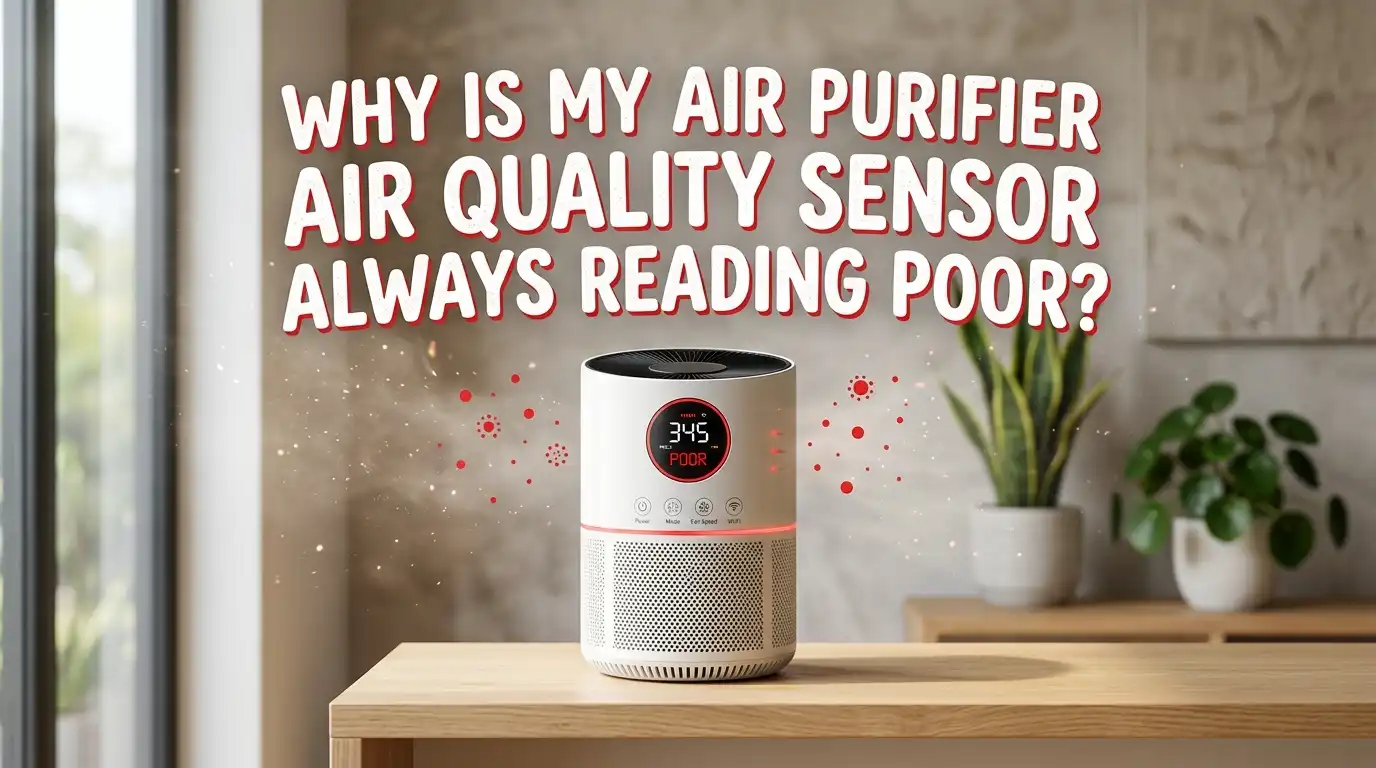
You turn on your air purifier. The light glows red. You wait. It stays red. No cooking, no smoke, no open windows, yet the sensor screams “poor air quality.” Sound familiar? You are not alone, and the good news is that this problem is usually simple to fix.
A stuck sensor does not always mean your air is dirty. Most of the time, the sensor itself needs attention. Dust, humidity, bad placement, or a tiny calibration glitch can trick it.
This guide walks you through every reason your sensor reads poor and shows you exactly how to fix each one.
In a Nutshell:
- A dirty sensor is the number one cause. Dust clogs the tiny laser sensor inside your purifier. Cleaning it gently with a cotton swab and soft brush fixes most “always red” problems.
- Humidity fools the sensor badly. Steam from showers, cooking, and humidifiers makes water droplets look like dust particles. Your air may be fine, but the sensor reads it as polluted.
- Placement matters more than you think. A purifier stuck in a corner, near a wall, or beside a vent gets confused readings. Open space around the unit helps it read correctly.
- A quick reset or recalibration often clears stuck readings. Unplugging the device for a few minutes resets the sensor and the air sample inside it.
- Cheap sensors are simply less accurate. Budget purifiers use low cost sensors that overreact to minor changes, so some red lights are just oversensitivity.
- Sometimes the air really is poor. Do not ignore every red light. Trust the sensor after you rule out the common false triggers.
How Your Air Purifier Sensor Actually Works
Your air purifier uses a small device called a particulate matter sensor, often labeled PM2.5. Inside it sits a tiny laser and a light detector. Air flows through a small chamber. The laser shines on passing particles. The detector counts how much light scatters off them.
More scattered light means more particles. The sensor turns that count into a color: blue or green for clean, yellow or orange for moderate, and red for poor. This whole process happens in seconds, and it repeats constantly.
The catch is simple. The sensor cannot tell what a particle actually is. Dust, smoke, steam, and even large water droplets all scatter light. So the sensor sometimes counts harmless things as pollution. Understanding this helps you spot false alarms fast.
Reason One: A Dirty Sensor Is Clogged With Dust
This is the most common cause by far. Over weeks and months, fine dust settles inside the sensor chamber. That dust blocks the laser or scatters extra light. The result is a sensor that reads poor air all the time, even in a clean room.
Think of it like a dirty camera lens. Everything looks blurry, no matter how clear the scene is. The sensor gets stuck on high readings because it is reading its own dust.
Pros and Cons of cleaning the sensor yourself:
- Pros: It is free, takes ten minutes, and fixes the problem in most cases. You need no special tools.
- Cons: You must open part of the device, and rough handling can damage the delicate laser. Go slow and gentle.
Cleaning is almost always the first thing to try. The next section shows you the exact steps.
Step by Step: How to Clean Your Air Quality Sensor
Follow these steps carefully. Always turn off and unplug the purifier first. Working on a powered device risks a shock and can damage the electronics.
First, find the sensor. It usually sits on the side of the unit behind a small cover or vent. Check your manual for the exact spot. The inlets are often small slots near the bottom or side.
Second, remove the small sensor cover. It may slide, pop, or unscrew. Be gentle, since the clips are thin plastic.
Third, use a soft brush or a vacuum with a brush attachment to clear loose dust from the inlets. Then take a dry cotton swab and gently wipe the inside of the sensor opening. Never use water, alcohol, or cleaning sprays near the laser. Liquids ruin the sensor.
Fourth, let any moisture from your breath dry, replace the cover, plug the unit back in, and turn it on. Most sensors clear up within minutes.
Reason Two: Humidity and Steam Trigger False Readings
This one surprises many people. High humidity makes your sensor read poor even when the air is perfectly clean. Here is why. Tiny water droplets float in humid air. The laser counts them just like dust.
Common triggers include hot showers, boiling water, steam from cooking, and especially humidifiers. When you run a humidifier near the purifier, the sensor often jumps straight to red. The added water makes particles swell, and minerals in the water add real particles too.
Pros and Cons of managing humidity for accurate readings:
- Pros: Lowering humidity gives you honest sensor data and also protects your home from mold and dust mites.
- Cons: You may need to move the humidifier or run a dehumidifier, which adds cost and effort.
The fix is simple. Keep your humidifier at least a few feet from the purifier. Run the purifier during showers, but do not panic when it spikes. The reading drops once the steam clears.
Reason Three: Poor Placement Confuses the Sensor
Where you put your purifier changes what the sensor reads. A unit jammed in a corner or pushed against a wall traps stale, dusty air around itself. The sensor then reads that trapped pocket, not the whole room.
Placing the purifier near a kitchen, a litter box, a vent, or a doorway also feeds it constant bursts of particles. Every time someone walks by and stirs up dust, the sensor reacts.
Pros and Cons of repositioning your purifier:
- Pros: Better placement improves both sensor accuracy and actual air cleaning. It costs nothing.
- Cons: You may need to rearrange furniture or use a longer cord, and some rooms have limited good spots.
Give your purifier breathing room. Keep at least one to two feet of open space on all sides. Place it away from walls, curtains, and strong air sources. This single change fixes many stubborn red light problems.
Reason Four: The Sensor Needs a Reset or Recalibration
Sometimes the sensor just gets stuck. A software glitch or a lingering air sample keeps the reading high. A reset clears the memory and lets the sensor start fresh. This is one of the fastest fixes available.
The easiest method is a power cycle. Turn off the purifier, unplug it, and wait at least five to ten minutes. This drains stored power and lets the internal air chamber clear out. Plug it back in and watch the reading settle.
Some smart purifiers offer a calibration option in their app or through a button combo. Check your manual for the exact steps. Calibration tells the sensor what clean air looks like in your home.
Pros and Cons of resetting and recalibrating:
- Pros: It is quick, free, and fixes glitchy software readings instantly.
- Cons: A reset alone does not help if the sensor is dirty or the air is genuinely poor. It is a partial fix.
Reason Five: A Clogged or Damp Filter Disrupts Airflow
Your filter and your sensor work as a team. When the filter clogs with trapped dust, air cannot flow well through the unit. Less airflow means the sensor samples dirty air that never gets cleaned. The reading stays high.
A damp filter causes worse trouble. Moisture in the filter can release particles back into the airflow and even fool the sensor with humidity. A wet filter also grows mold, which adds real pollution.
Pros and Cons of replacing the filter:
- Pros: A fresh filter restores airflow, improves cleaning power, and often clears false readings at once.
- Cons: Replacement filters cost money and need changing every few months, which adds up over time.
Check your filter indicator and the filter itself. If it looks gray, packed with dust, or damp, replace it. Never wash a HEPA filter unless the maker says it is washable. Washing usually destroys it.
Reason Six: Your Air Really Might Be Poor
Here is the honest truth. Sometimes the sensor is right. Your indoor air may genuinely be polluted, and the red light is doing its job. Do not assume every alert is a false alarm.
Many invisible sources raise indoor particle levels. Cooking, especially frying, releases a lot of fine particles. Candles, incense, fireplaces, and cigarettes do too. Outdoor smoke, pollen, and traffic fumes seep in through windows and gaps.
Dust from cleaning, pet dander, and even spray products like deodorant or hairspray can spike readings. If your sensor reads poor right after one of these activities, trust it. The air is reacting to something real.
Watch the pattern. If the reading climbs during cooking and drops an hour later, that is normal and accurate. If it never drops no matter what you do, then the sensor likely needs cleaning or resetting instead.
Reason Seven: Cheap or Low Quality Sensors Overreact
Not all sensors are equal. Budget air purifiers often use low cost sensors that are simply less accurate. These sensors overreact to tiny changes and drift over time. They may read poor when the air is fine.
A cheap sensor also lacks the fine tuning of higher end models. It cannot tell the difference between a real pollution event and a passing puff of dust. So it errs on the side of caution and shows red often.
Pros and Cons of relying on a budget sensor:
- Pros: Budget purifiers still clean air well and cost much less upfront. The sensor is a bonus, not the main job.
- Cons: You cannot fully trust the readings, and frequent false alarms can be annoying and misleading.
If you suspect your sensor is just oversensitive, compare it with a separate air quality monitor. Two readings side by side tell you whether the sensor exaggerates. Then you can judge the red light with a grain of salt.
Reason Eight: Cross Check With a Separate Air Quality Monitor
When you are unsure whether to trust your purifier, bring in a second opinion. A standalone air quality monitor gives you an independent reading. Place it in the same room as your purifier and compare the numbers.
If both devices agree the air is poor, then the problem is real, and you should look for the pollution source. If the monitor shows clean air while the purifier shows red, your purifier sensor is the issue. That points you straight to cleaning or resetting it.
Pros and Cons of using a second monitor:
- Pros: It removes all guesswork and confirms whether your purifier sensor is honest. It is a one time check.
- Cons: A good monitor costs money, and cheap monitors have the same accuracy problems you are trying to solve.
You do not need to own a monitor forever. Borrow one or use one briefly to test. Once you know your purifier reads correctly, you can stop second guessing every red light.
Reason Nine: Firmware Bugs and App Glitches in Smart Purifiers
Smart purifiers add convenience but also new problems. Software bugs can freeze the sensor reading or display the wrong color. The app might show red while the actual air is clean, or the reading may lag far behind reality.
Outdated firmware often causes these glitches. Makers release updates that fix sensor behavior and improve accuracy. Skipping updates leaves you stuck with old bugs.
Pros and Cons of updating firmware:
- Pros: Updates fix known sensor bugs, add features, and improve accuracy at no cost.
- Cons: Updates sometimes introduce new bugs, and the process needs a stable internet connection and a working app.
Open your purifier app and check for a firmware update. Install it, then restart the device. If the app itself is glitching, try closing and reopening it, or reinstall it. A simple update or reinstall clears many stubborn smart sensor issues fast.
How to Tell a Real Alert From a False One
Learning to read the pattern saves you endless worry. A real pollution alert rises and falls with activity. It climbs when you cook, then drops once the air clears. That is the sensor working correctly.
A false reading behaves differently. It stays stuck on red no matter what you do, even in a still, clean room with no triggers. That stuck pattern points to a dirty sensor, a glitch, or humidity.
Ask yourself a few quick questions. Did the reading spike after a known trigger like steam or frying? Does it drop within an hour? Does opening a window change it? If the reading responds to changes, trust it. If it never moves, fix the sensor.
Watch your purifier over a full day. The pattern reveals the truth. Once you learn your unit’s normal behavior, spotting a fake alert becomes second nature, and you stop chasing problems that are not there.
A Simple Maintenance Routine to Prevent Future Problems
Prevention beats repair every time. A short, regular routine keeps your sensor honest and your purifier working at its best. Set a simple schedule and stick to it. Your future self will thank you.
Every two to four weeks, wipe down the outside of the unit with a dry or barely damp microfiber cloth. Clean the sensor inlets gently with a soft brush at the same time. This stops dust from building up inside.
Every few months, check and replace your filter as needed. Keep the area around the purifier open and free of clutter. Run firmware updates when they appear for smart models.
Pros and Cons of a regular maintenance routine:
- Pros: It prevents most sensor problems, extends the life of your purifier, and keeps readings accurate.
- Cons: It takes a little time and discipline, and you must remember to do it on schedule.
A few minutes each month keeps your sensor reading the real air, not its own dust.
Frequently Asked Questions
Why does my air purifier turn red at night but not during the day?
Nighttime spikes often come from dust settling and stirring as the house cools, or from higher humidity overnight. Lower air movement at night also lets particles gather near the sensor. Check for a humidifier running while you sleep, since that is a very common nighttime trigger.
How often should I clean my air quality sensor?
Clean the sensor inlets every two to four weeks, or whenever the reading stays stuck on poor. Always clean it when you change the filter. Regular gentle cleaning with a soft brush and dry cotton swab prevents most stuck reading problems before they start.
Can I use water or alcohol to clean the sensor?
No. Never use water, alcohol, or any liquid near the laser sensor. Liquids damage the delicate electronics and ruin the laser. Use only a dry soft brush, a vacuum with a brush attachment, or a dry cotton swab to clear dust away gently.
My sensor reads poor even after cleaning. What now?
Try a full reset by unplugging the unit for ten minutes. Then check the filter, the placement, and the humidity in the room. If the reading still stays red in clean, dry air, the sensor may be faulty or just low quality, and contacting the maker is your next step.
Does humidity really make the sensor read poor air?
Yes, very much so. Water droplets in humid air scatter the laser light just like dust does. Steam from showers, cooking, and humidifiers all push the reading toward red. The air is often clean, but the sensor counts the moisture as particles.
Should I worry every time the light turns red?
Not always. A red light that rises with cooking or smoke and then fades is normal and accurate. A red light that never changes points to a sensor issue. Learn your purifier’s pattern, rule out false triggers, and trust the readings that respond to real changes in your room.

I’m Maya Brown, the voice behind Pure Breeze Vault. I write detailed, honest, and easy-to-follow air purifier reviews to help readers compare features, understand filter technologies, and choose products with confidence. My goal is to make research simpler, clearer, and more practical for anyone improving indoor air quality at home.