Why Is My Air Purifier Causing Interferences With My TV Remote?
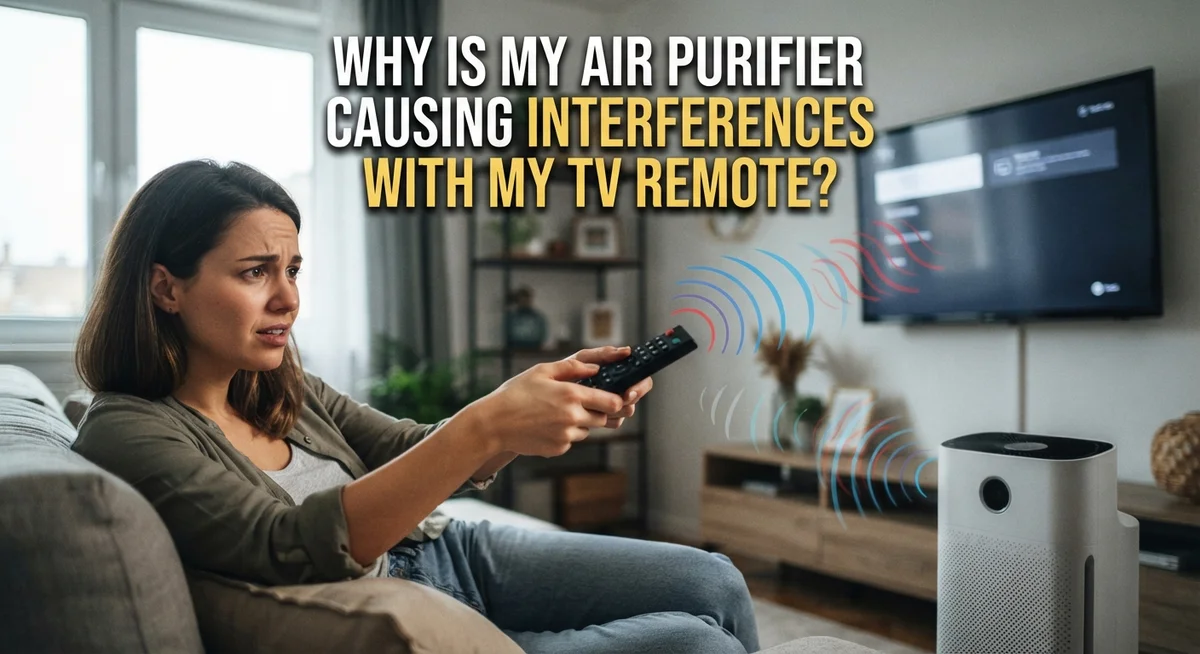
Have you ever pressed your TV remote and nothing happens? Then you notice your air purifier humming nearby. It feels strange to connect the two, but this issue is more common than you think.
Many people wonder if their air purifier is really the cause. The good news is that most air purifiers are safe to use near your TV. They run on high voltage but low current, which rarely affects your remote signal.
So what is actually going wrong? In some cases, a purifier can create radio frequency interference. This usually happens due to a process called arcing. It often signals a malfunction rather than a normal side effect.
In a Nutshell
- Most air purifiers won’t disturb your TV remote signal. They run on high voltage but low current. This combination rarely creates enough radio frequency interference (RFI) to matter.
- Arcing is the real troublemaker here. When electronic air cleaners spark internally, they generate RFI. This spark, not the purifier itself, blocks your remote’s signal.
- Placement plays a bigger role than most people think. Keep some distance between your purifier and your TV setup when you can.
- Airflow matters just as much as distance. Never squeeze your purifier into a tight corner or enclosed space. Poor airflow can cause the unit to work harder and potentially malfunction.
- Watch and listen for warning signs. Sparks or unusual sounds often signal arcing inside the unit. This is your real clue that something needs attention.
- Don’t jump to conclusions too quickly. Simply placing a purifier near your TV rarely causes problems on its own. The issue almost always points back to a malfunction, not normal operation.
- The fix is usually simple. Reposition your unit, ensure open airflow, and monitor for arcing. These steps solve most interference issues fast.
How Air Purifiers Work and Why Interference Seems Possible
Air purifiers work by pulling air through filters to remove dust, allergens, and other particles. Most models use fans and motors to create airflow. These devices typically run on standard electrical power without generating strong signals that affect remote controls.
Your TV remote sends infrared signals to your television. These signals travel through the air as light beams. Remote controls work at specific frequencies that are different from the electrical signals inside an air purifier. This separation means interference should rarely happen under normal conditions.
Most air purifiers are actually low risk for causing problems. They use high voltage but draw very little current during operation. The real concern comes from electronic air cleaners with ionizers or electrostatic precipitators. These units can create radio frequency interference, but only when something goes wrong inside them.
Arcing is the key issue to understand. This happens when electrical components spark or malfunction within the purifier. When arcing occurs, it generates electromagnetic waves that can disrupt your remote signal. You will usually hear crackling sounds or see sparks if this is happening. This is a sign your unit needs attention.
Distance and placement matter more than you might think. Putting your purifier in an open area away from your entertainment setup reduces any potential interference. Avoid stuffing it into corners or enclosed spaces. These tight spots restrict airflow and can actually cause the unit to work harder, increasing malfunction risk.
Think of your air purifier as a standard household appliance. Refrigerators, microwaves, and washing machines sit near electronics every day without causing remote issues. Your purifier operates the same way when functioning properly. The connection between a purifier and remote problems is usually coincidental rather than causal. If you experience interference, check for arcing sounds first before assuming proximity is the problem.
Understanding Radio Frequency Interference (RFI) and Arcing
Radio frequency interference happens when electronic devices emit signals that disrupt other electronics nearby. Your air purifier can cause this, but only under specific conditions.
Electronic air cleaners generate RFI when arcing occurs inside the unit. Arcing is an electrical spark that jumps across a gap in the device. This spark creates electromagnetic waves that travel through the air. These waves can interfere with your TV remote’s infrared signal.
Here’s the important part: arcing is not normal operation. It signals a malfunction in your air purifier. A properly working unit should not produce these sparks. If your remote stops responding when the purifier runs, listen carefully. Do you hear crackling sounds or see visible sparks? That’s arcing at work.
Most air purifiers won’t cause interference because they operate without arcing. They run on high voltage but use very low current. This combination rarely creates the conditions needed for electromagnetic disruption. Your remote uses infrared light to communicate with your TV. This signal travels differently than radio waves, so interference is uncommon.
The distance between your purifier and TV does matter, but it’s not the main factor. Placement in an open area is more important than proximity alone. When you squeeze a purifier into a corner or enclosed space, airflow gets restricted. This can lead to overheating and increase the chance of internal arcing.
Pay attention to warning signs. Unusual noises like popping or crackling indicate problems inside the unit. Visible sparks are another red flag. If you notice these signs, your purifier needs attention.
Don’t assume your purifier causes interference just because it sits near your TV. Test your remote in different rooms first. Move the purifier to an open space with good airflow. Monitor for any sparking or strange sounds. These steps help you identify the real cause of your remote trouble.
Signs Your Air Purifier Is Actually Causing Remote Interference
Your air purifier might be causing remote interference, but the signs are often subtle. Here’s what to watch for.
The first sign is inconsistent remote response. Your TV remote works fine most of the time, but suddenly stops responding when your purifier runs. The remote might need several button presses to work, or it stops working entirely in certain rooms. This pattern matters because it points to a specific cause rather than a general equipment problem.
Listen for unusual sounds from your purifier. Popping, crackling, or buzzing noises indicate arcing inside the unit. Arcing is an electrical spark jumping across components. This is the real culprit behind interference. Normal operation should be quiet or produce only a gentle humming sound from the fan.
Look for visible sparks or a burning smell near your purifier. These are clear warning signs that something is wrong internally. If you notice either one, stop using the device immediately.
Test the distance between devices. Move your purifier to different locations and see if remote problems improve. If interference disappears when the purifier is farther away, you’ve found your answer. If problems continue regardless of distance, something else is causing the issue.
Pay attention to when interference happens. Does it occur only when your purifier first turns on? Does it happen continuously while running? Timing helps you understand whether the problem is consistent arcing or an occasional electrical surge.
Check your remote’s batteries. Weak batteries can mimic interference symptoms. Replace them first before assuming your purifier is the problem. A fresh set often solves remote responsiveness issues completely.
Monitor these signs over several days. Patterns emerge quickly. If your remote only acts up when your purifier runs, you’ve identified the source. If problems happen randomly or without the purifier running, look elsewhere for the cause.
Step-by-Step: Diagnosing the Source of the Problem
Start by checking if your purifier actually causes the problem. Move your TV remote to different locations in your room while keeping the purifier in its current spot. If the remote works perfectly when you’re far away but fails nearby, you’ve found your culprit.
Next, listen carefully to your air purifier. Arcing creates distinctive sounds like popping, crackling, or buzzing. These noises mean electrical sparks are jumping inside the unit. Normal purifiers run quietly or with a gentle hum. If you hear snapping sounds, that’s your interference source.
Look for visual signs of trouble. Check around your purifier for any visible sparks, especially near the electrical components or filter area. A burning smell is another red flag. These signs confirm that arcing is happening.
Test your remote’s behavior during different times. Does it fail constantly, or only sometimes? Intermittent problems often point to arcing that comes and goes. Keep a simple log: note when the remote stops working and what sounds your purifier makes at those moments.
Measure the distance between your devices. Move your purifier farther from the TV in stages. Place it 5 feet away, then 10 feet, then across the room. Track whether remote performance improves. This tells you if proximity is the issue.
Check your remote batteries next. Weak batteries can make existing interference problems seem worse. Replace them with fresh ones and test again. This simple step eliminates one variable.
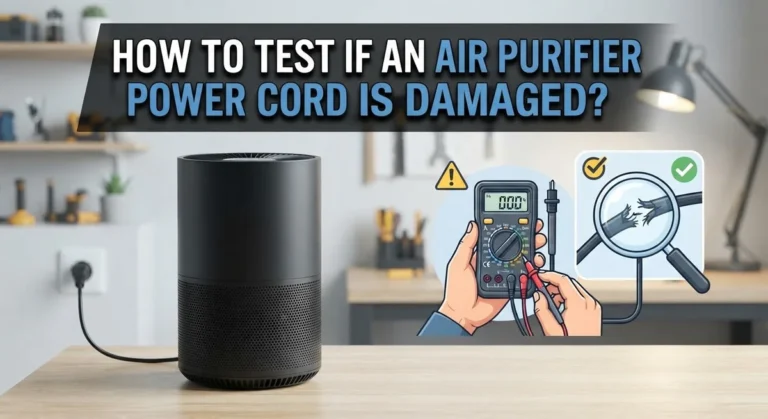
Finally, inspect your purifier’s power cord and plug. Damaged cords can cause arcing. Look for fraying, burns, or loose connections. A faulty cord needs attention immediately.
Document your findings carefully. Write down which tests you performed and what you discovered. This information helps you determine if your purifier needs repair or if another factor is causing the problem.
Best Practices for Placement and Airflow
Placement and airflow work together to prevent interference problems. Your air purifier needs space to pull air in from all sides. When you squeeze it into a corner, the device struggles to function properly.
Keep your purifier in an open area of your room. Avoid tight spaces between furniture or against walls. The unit needs at least six inches of clearance on all sides for best performance. This open placement also reduces the chance of internal problems like arcing.
Distance from your TV matters less than you might think. You can place your purifier reasonably close to your television without automatic interference. The real issue happens when the purifier malfunctions, not because of proximity alone.
Airflow restriction is the hidden culprit. When air cannot flow freely around your purifier, the motor works harder. This stress can trigger electrical problems inside the unit. Poor airflow also reduces the purifier’s ability to clean your air effectively.
Position your purifier away from heat sources and direct sunlight. These conditions stress the internal components and increase malfunction risk. Keep it away from windows and heating vents for the same reason.
Test different locations if you notice remote issues. Move your purifier to an open spot and observe whether interference improves. This simple test tells you if placement was the problem.
Never block the intake vents or exhaust openings. Check that nothing covers these areas. Blocked vents force the motor to work harder and can trigger the electrical problems that cause interference.
Your room layout matters too. Place the purifier where air naturally circulates. Hallways and central areas usually work better than closed bedrooms or bathrooms. Good airflow keeps your purifier running smoothly and prevents the internal arcing that disrupts your remote.
Common Mistakes That Worsen Interference Issues
Many people make simple mistakes that actually make interference worse. Understanding these errors helps you fix the problem faster.
Placing your purifier in a corner or enclosed space is the biggest mistake. When you tuck the unit into a tight spot, airflow gets blocked. The motor then works much harder to pull air through. This extra strain can trigger electrical arcing inside the device. Arcing is what creates radio frequency interference in the first place.
Another common error is assuming that distance alone solves everything. People move their purifier far from the TV, yet interference continues. The real issue is often poor placement, not proximity. A purifier sitting in an open area near your TV causes fewer problems than one crammed into a corner across the room.
Ignoring maintenance is another frequent mistake. A dirty filter forces your purifier to work harder. Dust buildup inside the unit increases the chance of arcing. Regular filter changes and cleaning reduce stress on the motor and electronics.
Some people also make the mistake of assuming their remote batteries are fine. Weak batteries make remotes more sensitive to interference. Replace them first before blaming your purifier. This simple step often solves the problem completely.
Blocking intake or exhaust vents is another oversight. When you place items near the purifier’s openings, airflow gets restricted. This puts extra pressure on internal components. Always keep at least 12 inches of clear space around your unit on all sides.
Finally, people often ignore arcing sounds as just normal operation. Popping or crackling noises mean something is wrong inside. These sounds indicate electrical problems that cause interference. Don’t dismiss them as typical purifier noise. Address them immediately before the issue gets worse.
Troubleshooting Persistent Remote Control Problems
Your TV remote stops responding right when your air purifier runs. This frustrating problem has clear causes and simple fixes you can try today.
Arcing is the main culprit. Electronic air cleaners create radio frequency interference only when internal arcing occurs. This happens when electrical components malfunction inside your purifier. Listen for crackling or popping sounds coming from the unit. Look for visible sparks near the filter or electrical connections. If you hear or see these signs, your purifier likely needs service.
Test whether arcing is actually happening. Turn on your purifier and watch your TV remote closely. Does the remote fail immediately, or only at certain moments? If problems come and go randomly, arcing is probably the cause. If your remote works fine most of the time, interference may not be your real issue.
Check your remote batteries first. Weak batteries create symptoms that look like interference. Replace them with fresh ones and test again. Sometimes a simple battery swap solves everything.
Measure the distance between your purifier and TV. Move your purifier to the opposite side of the room if possible. Electronic air cleaners rarely cause problems at distances over 6 feet. However, placement matters more than distance alone.
Inspect your purifier’s power cord and plug for damage. Frayed wires or loose connections can generate interference. Make sure the cord doesn’t run near your TV cables or remote receiver.
Monitor your purifier’s airflow situation. Units squeezed into corners work harder and generate more electrical stress. Open areas allow better airflow and reduce strain on internal components.
Keep a log of when interference happens. Note the time, what you were doing, and whether your purifier made unusual sounds. This information helps identify whether arcing or another issue is responsible for your remote problems.
Final Thoughts
Your air purifier and TV remote should coexist without any drama. Most interference problems come from arcing, not simple proximity.
Arcing happens when your purifier malfunctions. This creates radio frequency interference that blocks your remote signal. It is the real cause behind most remote control headaches.
Normal air purifiers run on high voltage but low current. This combination rarely affects your TV or remote. So if your purifier works properly, interference stays unlikely.
Placement still matters for performance reasons. Keep your purifier in open spaces with good airflow. This helps the unit run efficiently and reduces strain on its motor.
When you notice remote issues, check for sparks or unusual sounds first. These signs point to arcing inside your purifier. This is the actual problem you need to solve.
Simple checks make a big difference. Look at your remote batteries. Check your purifier’s power cord. Test different spots in your room if needed.
Do not assume distance alone fixes everything. A purifier close to your TV rarely causes problems if it works correctly. The real fix is addressing arcing when it happens.
Regular maintenance keeps your purifier running smoothly. Clean filters and clear vents prevent unnecessary strain on the motor. This lowers your risk of arcing over time.
Your air purifier should not fight with your TV remote. Most units run safely side by side with your electronics. Understanding arcing helps you spot real problems fast.
Trust the basics here. Watch for warning signs. Fix arcing issues quickly. Keep good airflow around your unit.
With these steps, your purifier and remote can work together without interruption. Clean air and clear signals are both possible in the same room.
Frequently Asked Questions
Can an air purifier really interfere with my TV remote?
Yes, but only under specific conditions. Most air purifiers use high voltage and low current, which rarely causes problems. Electronic air cleaners can generate radio frequency interference, but only when internal arcing occurs. This arcing is actually a malfunction signal, not normal operation. If your remote works fine most of the time, interference is unlikely your main issue.
What actually causes the interference to happen?
Arcing is the culprit. When electrical components inside your purifier spark or arc, they release radio frequency signals. These signals can disrupt your remote’s communication with your TV. Think of arcing like tiny electrical storms inside the unit. Normal, properly functioning purifiers do not create this interference. If you hear crackling sounds or see sparks near your purifier, arcing is happening.
Should I move my air purifier away from my TV?
Distance helps, but it is not the main solution. Placing your purifier in an open area with good airflow matters more than the distance from your TV. Avoid tucking it into corners or enclosed spaces. These tight spots reduce the purifier’s effectiveness anyway. If interference persists after repositioning, the problem likely stems from arcing or weak remote batteries, not location alone.
How do I know if arcing is the real problem?
Listen and look carefully. Arcing produces crackling or popping sounds. You might see small sparks near the unit’s vents. Check your remote batteries first, as weak batteries create similar symptoms. If your batteries are fresh and you hear unusual sounds from the purifier, arcing is probably happening. Contact a technician if arcing occurs, since it indicates a malfunction.

I’m Maya Brown, the voice behind Pure Breeze Vault. I write detailed, honest, and easy-to-follow air purifier reviews to help readers compare features, understand filter technologies, and choose products with confidence. My goal is to make research simpler, clearer, and more practical for anyone improving indoor air quality at home.