Why Is My Air Purifier Not Pulling In Any Smoke Or Dust?
You switch on your air purifier. You wave some smoke near it. Nothing happens. The dust still floats around your room. You start to wonder if you wasted your money.
This feeling is frustrating, and you are not alone in it. Many people face the same problem and assume their unit is broken.
The good news is that most of these problems have simple causes. A clogged filter, a blocked vent, or even a piece of plastic wrap can stop your purifier from doing its job.
In a Nutshell:
- A dirty or clogged filter is the number one cause. When dust packs the filter, air cannot pass through, so the unit pulls in very little. Replace HEPA filters every 6 to 12 months.
- Plastic wrap left on a new filter blocks all airflow. Many people forget to remove it. Always unwrap the filter before the first use.
- Poor placement chokes the airflow. Keep your purifier at least 12 inches away from walls and furniture so it can breathe freely.
- Low fan speed limits how much air gets pulled in. Run a higher speed when smoke or dust levels rise, not just the quiet sleep mode.
- Dust on the air quality sensor causes false readings. A dirty sensor may keep the unit on low power even when your air is dirty. Clean the sensor gently every few weeks.
- Air purifiers struggle with large, heavy dust particles. They capture fine, floating particles best, so visible falling dust may not vanish right away.
Your Filter Is Clogged With Dust And Debris
A clogged filter is the most common reason your air purifier stops pulling in smoke or dust. As the unit runs, it traps dust, pollen, pet dander, and smoke particles. Over months, these particles pack the filter tight. Air can no longer flow through it. So the fan spins, but very little air gets pulled in.
Check your filter today. Open the unit and pull out the filter. Hold it up to the light. If you cannot see light through it, or if it looks grey and stuffed, it is time for a change. Most HEPA filters last 6 to 12 months. Homes with pets or smokers need changes more often.
Pros of replacing the filter: It restores full airflow fast and improves capture right away. Cons: Genuine filters cost money, and you must repeat this regularly.
You Forgot To Remove The Plastic Wrap
This problem sounds silly, but it happens to thousands of people. New filters often come sealed in a clear plastic bag or wrap. The wrap keeps the filter clean during shipping. You are supposed to remove it before the first use. Many people slide the filter straight into the unit without unwrapping it.
The plastic seals the filter completely. No air can pass through it. So the fan runs, the lights turn on, but the purifier pulls in nothing at all. Smoke and dust just float past as if the machine were off.
Open your purifier and check the filter now. Peel off any plastic, foam, or cardboard packaging. Pros: This fix is free and takes thirty seconds. Cons: None, though you may feel a little embarrassed. Always check this first on a brand new unit.
The Air Purifier Is Placed In A Bad Spot
Where you put your purifier matters a lot. If you tuck it into a tight corner or push it against a wall, you block its airflow. The intake vents need open space to draw in dirty air. The exhaust vents need open space to push out clean air. Furniture, curtains, and walls all get in the way.
Give your unit room to breathe. Place it at least 12 inches away from walls and furniture on all sides. For best results, leave even more space around the intake area. Some experts suggest a few feet of clearance for larger units.
Pros of better placement: It costs nothing and boosts airflow instantly. Cons: You may need to rearrange your room, and a unit in the open can be more visible. Avoid corners and cramped spaces.
Your Fan Speed Is Set Too Low
Many people run their air purifier on the lowest, quietest setting all day. This saves energy and keeps noise down. But low fan speed also means the unit pulls in very little air. On the lowest mode, it may barely capture smoke or dust during active pollution.
Low speed is for maintenance, not cleaning. It works fine when your air is already clean. But when you cook, when smoke appears, or when dust kicks up, you need more power. Turn the fan to a higher speed during these times.
If your purifier has an auto mode, use it. Auto mode raises the speed when it detects dirty air. Pros: Higher speed clears smoke and dust much faster. Cons: It uses more energy and makes more noise. Run high speed for a few hours after cooking or opening windows.
The Air Quality Sensor Is Dirty
Smart purifiers use a sensor to measure your air. The sensor tells the unit how dirty the air is, and the unit adjusts its fan speed to match. Over time, dust settles on the sensor itself. A dirty sensor sends wrong signals to the unit.
A dusty sensor can fool your purifier. It may read your air as clean when it is dirty. So the unit stays on low power and never ramps up. You see smoke in the room, but the machine acts like nothing is wrong. Some sensors get stuck showing one color light.
Find the small sensor opening on the side of your unit. Wipe it gently with a soft, dry cloth or use a vacuum on low. Pros: Clean sensors give accurate readings and proper fan response. Cons: Sensors are delicate, so rough cleaning can damage them. Clean the sensor every few weeks.
The Unit Is Too Small For Your Room
Every air purifier has a size limit. This limit comes from its Clean Air Delivery Rate, or CADR. A unit made for a small bedroom cannot clean a large living room. It tries, but it cannot cycle the air fast enough. So smoke and dust linger no matter how long it runs.
Match the unit to your room size. Check the square footage rating on your purifier. If your room is bigger than the rating, the unit will always struggle. A purifier rated for 200 square feet will fail in a 400 square foot space.
You have two choices. Move the unit to a smaller room, or add a second purifier. Pros of right sizing: You get fast, full room cleaning. Cons: Larger units cost more, and running two units uses more power. Always buy for your actual room size.
The Filter Is Installed The Wrong Way
Filters have a correct direction. Air must flow through them in one specific way. Many filters have an arrow printed on the frame that shows the airflow direction. If you install the filter backward or sideways, the air does not pass through it correctly. The unit then pulls in less air and cleans poorly.
Check the filter orientation. Pull the filter out and look for arrows or labels. The arrow should point in the direction the air flows, usually toward the fan. Slide it back in the right way. Make sure it sits flush and snug in its slot.
Some units will not run at all if the filter is misaligned. Pros of correct installation: Air flows the right way and capture improves. Cons: You must read the manual or look for small printed marks. Take a photo before you remove a filter so you can copy the setup.
Power Or Electrical Problems Are Hiding
Sometimes the issue is not the filter or the air at all. It is the power. A loose plug, a faulty outlet, or a wall switch turned off can stop your unit from running at full strength. The lights may flicker, or the fan may run weakly. You assume the purifier is broken when the real problem is the power supply.
Test the power first. Make sure the cord is pushed firmly into the outlet. Plug another device into the same outlet to confirm it works. Check if a wall switch controls that outlet. Look at the cord for any fraying or damage.
If the outlet works for other devices but not the purifier, try a different outlet. Pros: This check is quick and free. Cons: A damaged cord may need professional repair. Never use a purifier with a frayed cord.
You Set The Timer Or Schedule By Mistake
Modern air purifiers come with timers, sleep modes, and app schedules. These features help you save energy. But they can also work against you. A timer might shut off the unit at the wrong hour. A sleep mode might drop the fan to its lowest setting at night when dust is heavy.
Review your settings carefully. Open the app or look at the control panel. Check for any active timer or schedule. Turn off the sleep timer if you want the unit to run all the time. Smart units sometimes change settings after an update.
If the settings confuse you, reset the unit to factory defaults. Pros of checking settings: You regain full control and steady operation. Cons: App menus can be tricky, and a reset erases your custom schedules. Disable timers if you want nonstop cleaning.
The Purifier Needs A Reset
Electronic parts can glitch, especially in smart units with sensors and wifi. The fan may stop responding. The sensor may freeze. The controls may ignore your commands. When this happens, a simple reset often fixes everything. It clears the temporary fault and restarts the system fresh.
Try the reset before you panic. Unplug the unit from the wall. Wait a full 10 minutes. Then plug it back in and turn it on. This pause lets the internal parts clear any error. While it is unplugged, double check that the filter sits properly in place.
If your unit has an app, check for firmware updates too. Pros of a reset: It is free and fixes many odd glitches. Cons: It does not solve hardware damage, and you may lose saved settings. Make this your go to step for strange behavior.
Air Purifiers Struggle With Large Dust Particles
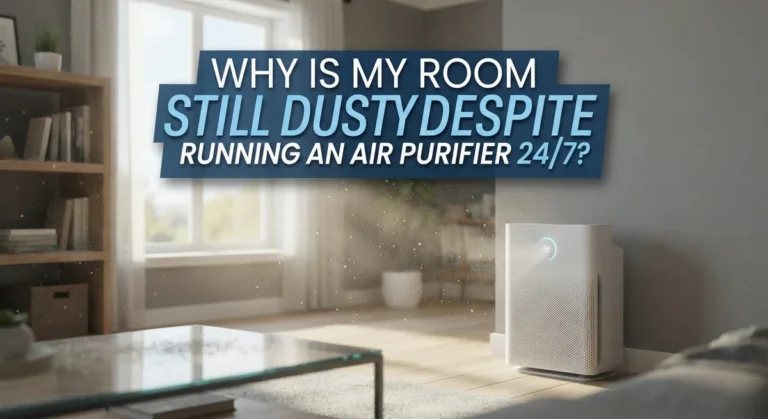
Here is a truth many people miss. Air purifiers work best on fine, floating particles. They capture smoke, pollen, and tiny dust very well. But large, heavy dust particles behave differently. These big particles fall to the floor and surfaces fast. The purifier cannot pull them in before gravity drops them.
Your purifier is not broken if visible dust remains. That falling dust is simply too heavy to float into the intake. The unit still cleans the fine particles you cannot see, which matter most for your lungs.
To handle visible dust, pair your purifier with regular cleaning. Dust surfaces and vacuum often. Pros: This combo tackles both fine and heavy particles. Cons: It means more cleaning work for you. Do not judge your purifier only by the dust you can see.
Doors And Windows Are Letting In New Pollution
Your air purifier cleans the air in one room. But if your doors and windows stay open, new smoke and dust pour in constantly. The unit cannot keep up with a steady flood of outside pollution. It captures particles, but more arrive just as fast. So the air never seems to get clean.
Close the room while the purifier runs. Shut the doors and windows so the unit can cycle the same air over and over. This lets the filter trap more particles with each pass. The air gets cleaner much faster in a closed space.
Pros of closing the room: Faster, more noticeable cleaning results. Cons: Less fresh air exchange, and the room may feel stuffy. Open windows only when outdoor air is clean, then close them again.
How To Test If Your Purifier Is Actually Pulling Air
Before you assume the worst, run a simple test. You want to confirm whether your unit pulls in air at all. This test takes only a minute and needs no tools. It tells you if the fan and intake work.
Hold your hand near the exhaust vent. You should feel a steady stream of air pushing out. Then hold a thin tissue near the intake vent. The intake should pull the tissue gently toward it. If you feel strong airflow, the unit works. If you feel little or nothing, you have a clog, a wrap, or a fan issue.
Another test is to check the filter after two weeks. Pros: These tests are free and clear. Cons: They do not measure exact particle removal. A grey, dusty filter proves your unit is working.
Frequently Asked Questions
How do I know if my air purifier is really working?
Stand near the exhaust vent and feel for steady airflow. Hold a tissue near the intake and watch it pull toward the unit. Over a few weeks, the filter should turn grey with trapped dust. Less surface dust and easier breathing are also good signs your purifier works.
How often should I replace my air purifier filter?
Most HEPA filters last between 6 and 12 months. Your exact timing depends on use and air quality. Homes with pets, smokers, or heavy dust need changes more often. Check the filter indicator light if your unit has one, and inspect the filter by eye every couple of months.
Why does my purifier show clean air when the room is smoky?
The air quality sensor is likely dirty. Dust on the sensor sends false readings, so the unit stays on low power. Wipe the small sensor opening gently with a soft, dry cloth. After cleaning, the sensor should read the smoke correctly and raise the fan speed.
Can I wash my HEPA filter to reuse it?
No, you should not wash most HEPA filters. Water damages the fine fibers and ruins the filter. Only filters labeled as washable can handle water. For standard HEPA filters, vacuum the surface gently to remove loose dust, then replace the filter when it stays clogged.
Why does dust still settle on my furniture?
Large, heavy dust particles fall to surfaces before the purifier can pull them in. Your unit cleans fine floating particles best. To handle visible dust, dust and vacuum your room regularly. The purifier and your cleaning routine work together to keep the air and surfaces clean.
Should I run my air purifier all day?
Yes, running it continuously gives the best results. Nonstop operation keeps pulling in particles as they appear. Most units use little power and run quietly. Use auto mode so the unit raises its speed when air gets dirty and lowers it when the air is clean.

I’m Maya Brown, the voice behind Pure Breeze Vault. I write detailed, honest, and easy-to-follow air purifier reviews to help readers compare features, understand filter technologies, and choose products with confidence. My goal is to make research simpler, clearer, and more practical for anyone improving indoor air quality at home.