
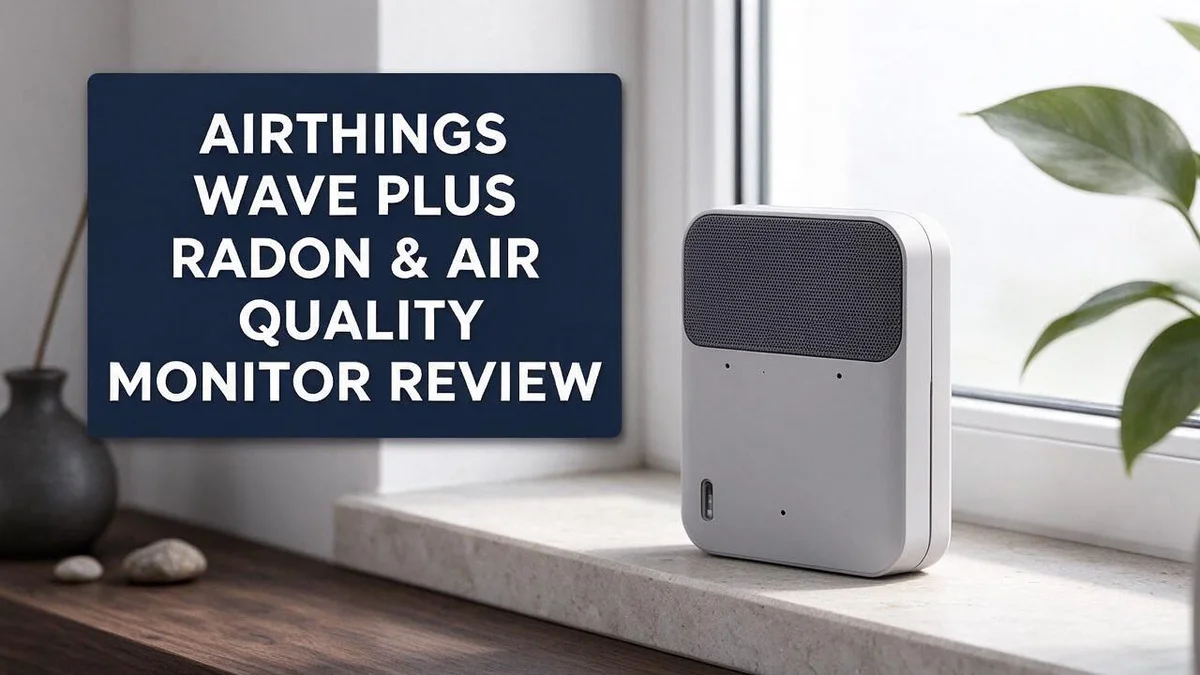
Airthings Wave Plus Review: Is It Worth It in 2026?
Your home should feel safe to breathe in. Yet most people never check what is floating in their air. That is where the Airthings Wave Plus comes in.
This battery-powered monitor tracks radon, VOCs, CO2, humidity, temperature, and pressure. It packs several air quality readings into one compact device. Many people also like its clean, modern look.
Radon is a colorless gas that can seep up from the ground. Long exposure raises health risks, so regular testing matters. Airthings says this model reaches ±10% radon accuracy within 7 days.
Still, results can vary. Some reviewers report that two units gave very different radon values. Others feel the View Plus offers more sensors.
In this guide, you will learn what the Wave Plus does well and where it falls short. Let’s take a closer look.
In a Nutshell
-
Radon accuracy needs time to settle. Airthings says its radon readings reach plus or minus 10 percent within 7 days. Give the device a full week before you trust the numbers.
-
Two units may disagree. Some owners report very different radon values from separate devices in the same home. Testing one spot in several rooms can give you a clearer picture.
-
The View Plus may read radon more accurately. Reviewers suggest it offers more sensors and possibly better radon results. If precise radon data matters most to you, compare it side by side.
-
The design stands out. Some people find this model better looking than other Airthings products. It can fit neatly on a shelf or desk in a modern home.
-
Other brands compete for the same buyers. Airthings Corentium, Awair, and Aranet all track indoor air. The AirGradient ONE is an open source kit for people who enjoy building their own devices.
-
Your priorities should guide the choice. Pick the Wave Plus if you want radon and several air quality readings in one unit. Check which sensors matter most to your household before you decide.
Sensor Suite and Measurements


Last update on 2026-11-18 / Affiliate links / Images from Amazon Product Advertising API
Each sensor answers a different question. Think of the Wave Plus as a small team of helpers. Each one watches a separate part of your indoor air.
The carbon dioxide reading shows how fresh a room feels. Levels often climb in closed bedrooms or busy meeting rooms. Opening a window usually brings the number back down.
Volatile organic compounds, or VOCs, come from paints, cleaning sprays, and new furniture. The VOC reading rises after you use these products. This helps you spot habits that affect your air.
Humidity and temperature work as a pair. Damp air can encourage mold on walls and window frames. Watching both numbers helps you protect your home and your comfort.
Air pressure may seem like an odd addition. Pressure shifts often arrive with changing weather. Seeing these patterns can explain why some days feel heavy or stuffy.
Small changes in the numbers can point to everyday habits. Cooking, showering, and burning candles all leave a mark. Noticing these spikes helps you understand what affects your home.
A single reading tells only part of the story. Check the trends over several days instead. Patterns reveal far more than one snapshot ever could.
Placement matters more than many people expect. Set the device in a room where you spend the most time. Keep it away from doors, heaters, and direct sunlight, since these can skew the numbers.
Sensors work best when you read them together. High carbon dioxide and high humidity can signal a room that needs airing out. Combining readings gives you a clearer picture of your space.
Renters and families with children may find this mix especially useful. The radon sensor works alongside these readings, so you see a fuller view of indoor air.
Radon Detection Accuracy
Radon detection accuracy matters more than most buyers expect. Radon is a leading cause of lung cancer among nonsmokers, so readings need to be trustworthy.
A device that guesses wrong can give false comfort. It can also cause needless worry.
Radon levels never stay still. They shift with weather, season, and how often you open windows.
A few days of data shows a snapshot. Longer tracking reveals your typical exposure over time.
Early numbers are rough estimates, so avoid judging the home from them alone. Wait for the readings to level out before drawing conclusions.
Why the first week needs care. Sensors need steady conditions to settle. Opening doors, cooking, or moving the device can throw off early readings.
Radon seeps through soil and small cracks in foundations. Basements and ground floors often show the highest readings, so place the monitor on a lower level you use daily.
Keep the unit away from drafts, direct sunlight, and kitchen steam. These factors can nudge sensors off course.
Compare with a professional test kit. A certified kit gives a clear benchmark. Side by side testing shows whether the monitor tracks real conditions.
If readings look high, retest before you panic. Confirm results with a qualified professional when levels stay elevated.
Accuracy also depends on consistent use. Keep the unit powered and avoid moving it between rooms during the test.
Think of the Wave Plus as a guide, not a final verdict. It shows useful patterns in radon levels over time. Single readings deserve a second look.
Seasonal patterns matter too. Many homes show higher radon in winter because windows stay shut and heating systems pull air from the ground.
Tracking a full year gives a clearer picture than a single month. Compare winter and summer numbers before making big decisions.
Keep a simple log of dates, weather, and window habits. Notes like these make it easier to spot the cause behind a spike. Good records turn raw numbers into useful answers.
Design and Placement
Good placement starts with one simple question. Where do you spend the most time? Most people spend long hours in bedrooms and living rooms, so those spaces deserve attention first.
Set the device at about breathing height. A bookshelf or side table often works well. Avoid the floor, where dust and pet hair can settle on the sensors.
Leave some open space around the unit. Keep it a little away from walls, curtains, and tall furniture. Air needs room to move past the sensors.
Battery power gives you flexibility. You can carry the Wave Plus from room to room during the first days. This helps you compare how each space behaves.
Once you choose a spot, leave the device there. Steady placement keeps your readings easy to compare.
Think about the room layout as well. A device tucked into a crowded corner may not get fresh airflow. Pick a spot where air can circulate freely around it.
A visible spot also helps. When the display sits where you pass often, checking becomes a quick habit. You will notice changes sooner.
Dust the unit gently every few weeks. Clean sensors give steadier readings. Use a soft, dry cloth and keep sprays far from the vents.
Record your chosen spot as well. Note the room, the height, and the nearby features. This record keeps future comparisons fair if you ever move the device.
Lower floors deserve extra thought. Many homes hold their stillest air near the ground. Test both a middle floor and a basement if your home has them.
Comparing levels across floors shows where air moves and where it stalls.
Plan your monitoring schedule around the spot. Keep the device in one room for at least a week before moving it. Mark the start date on a calendar. A calendar note also helps you match readings with events like opening windows or running fans.
Top 3 Alternatives
Airthings View Plus

Last update on 2026-11-18 / Affiliate links / Images from Amazon Product Advertising API
The Airthings View Plus suits families who want radon data alongside other air readings. It tracks radon, carbon dioxide, volatile organic compounds, and fine particles. A large screen shows live numbers, so you can check the air at a glance. Setup takes only a few minutes, and the display stays easy to read from across the room. Its companion app also helps you spot trends over time.
Awair Omni
Last update on 2026-11-18 / Affiliate links / Images from Amazon Product Advertising API
The Awair Omni suits people who care about comfort as much as clean air. It measures carbon dioxide, particles, chemicals, temperature, humidity, and noise. Its light ring changes color to show how the room feels. It also works with voice assistants, so you can ask about room conditions. Many people like its friendly design for bedrooms and offices. Keep in mind that it does not test for radon.
Temtop M10

Last update on 2026-11-18 / Affiliate links / Images from Amazon Product Advertising API
The Temtop M10 suits anyone who wants quick readings on the go. It is portable, so you can carry it from room to room. It focuses on fine particles and carbon dioxide, which helps when you check dust, smoke, or cooking fumes. Its compact body fits in a bag, and it powers on quickly. It suits renters, travelers, and anyone checking a new space. Use it as a spot check tool rather than a full radon monitor.
Setup and Calibration Time
Setting up the Airthings Wave Plus takes only a few minutes. Most of the work happens on your phone. You download the companion app, create an account, and follow the prompts shown on screen.
Next, you pair the device with the app over Bluetooth. Keep your phone close during this step. The app finds the monitor, and you can give it a name like Kitchen or Bedroom.
Naming each unit may seem minor. However, clear labels help you organize readings from several rooms.
Calibration works on a different timeline. The device needs time before its numbers settle. Airthings cites ±10% radon accuracy, and it reaches that level within 7 days.
Reviewers report a similar wait of about 7 days for the View Plus. Plan for at least one full week before you draw conclusions.
Use the waiting period to learn the app. Explore the dashboard and check how each graph loads. Notice which metric changes most in your home. Ask yourself which reading matters most to your household.
Check for firmware updates as soon as the device connects. Updates can improve how the sensors perform. Install them before you settle into your routine, so your data stays consistent.
Check the battery before you start. The Wave Plus runs on batteries. Look at the charge level in the app. A low battery can interrupt calibration, so charge the unit fully if the level looks low.
Keep a simple note of the setup date. This date helps you track when the device finished calibrating. Mark day seven on your calendar so you know when the wait ends.
Some people feel tempted to check the app every hour. Try to check once a day instead. Frequent checks can make small swings look like problems.
Once setup finishes, you can relax and let the device work. Patience now leads to more trustworthy data later.
Pros and Cons
Pros
– Tracks radon alongside several other air quality readings.
– Offers a clean look that suits living spaces.
– Gives you a broad picture of indoor air in one place.
– Helps you spot patterns between rooms and days.
– Works well if you want one main monitor for your home.
Cons
– Two units may show very different radon values.
– Radon accuracy may trail some competing devices.
– The View Plus adds more sensors for a fuller setup.
– Some buyers may want more detail than this model offers.
Who Should Buy It
The Airthings Wave Plus fits people who want a simple start with indoor air monitoring. Many new buyers feel lost in technical charts. This device keeps the information clear and easy to read.
Renters are a great match. You cannot always change the walls, vents, or windows in a rental home. A portable monitor lets you check the air without any installation work. You can also take it with you when you move. Many landlords allow simple devices like this one.
Families with children should take a closer look. Kids spend long hours in bedrooms and playrooms. Parents often want proof that these spaces feel fresh. Daily readings help busy households spot patterns without guesswork.
People who enjoy data will like the app. The app turns raw numbers into simple graphs. You can compare how the air changes from morning to night. Small habits, such as opening a window, become easier to measure.
Buyers who need legal proof should look elsewhere. Official radon tests often require certified equipment. This model works well for everyday awareness. It does not replace a formal test when records matter.
Tinkerers may prefer a different path. Some people enjoy building their own sensors and adjusting every setting. The AirGradient ONE suits that style better. The Wave Plus works as a ready to use device.
Shoppers who want a wide range of sensors may compare other brands. Some people want every possible reading in one unit. They may find the Wave Plus too focused for that goal.
People with breathing concerns may find it helpful. Tracking trends can show when air feels stale or heavy. Still, they should talk with a doctor about their health choices.
In short, this monitor suits calm and curious people. It fits anyone who wants clear answers without a steep learning curve. Your home, your habits, and your goals matter most before you decide.
Final Verdict
The Airthings Wave Plus earns a spot on the shortlist for people who want one clear view of their indoor air. It tracks radon alongside several other readings in a single device. That matters because radon often stays hidden from sight.
The device makes a strong first step for busy households. Its clean look fits easily in living rooms and bedrooms. Most of all, the simple graphs help you understand what changes over time.
Still, the mixed feedback deserves real weight. Two units may read radon differently, and accuracy may trail some rivals. A buyer who needs a precise number should compare options before committing.
Think about the next step after the first month. If the readings look high, a professional test can confirm the results. The Wave Plus can guide that decision, but it should not be the final word.
Other models deserve a look too. The View Plus suits anyone who wants more sensors and a fuller setup. The AirGradient ONE appeals to people who enjoy building their own gear. Awair and Aranet also offer strong options for different tastes.
Overall, the Wave Plus works best as a friendly starting point. It gives clear answers about daily air habits and a useful radon signal. Pair it with regular ventilation, and it becomes a helpful partner for a healthier home.
Daily use matters more than the first reading. Check the app once a week and look for trends rather than single spikes. Patterns tell a clearer story than one odd number.
Think about who will read the results too. Share the findings with family members so everyone understands the goal. Shared habits, like opening windows during cooking, often make the biggest difference.
Your final choice depends on your goals. Pick the Wave Plus if you want a simple, friendly tool for radon and air habits.
Pick a different model if you need top accuracy or more sensors. Either way, you gain a clearer picture of your home. Start small and grow from there.
Frequently Asked Questions
Where should I place the Wave Plus in my home?
Place it in a room where people spend many hours. Keep it at breathing height and away from windows, doors, and kitchen steam. Radon often builds up on lower floors, so a basement or ground floor spot gives useful readings.
What sensors does the Wave Plus include?
The device tracks radon, VOCs, CO2, humidity, temperature, and pressure. This mix gives you a wide view of indoor air in one place. If you want even more readings, the View Plus adds extra sensors.
What should I do if the radon readings look high?
Watch the trend for several weeks before you act. Single readings can jump up and down. If levels stay high, contact a certified radon tester or your local health office for a formal test. Stay calm and take clear next steps.
Is the Wave Plus a good fit for a small apartment?
Yes, it works well in small spaces. One unit covers one room at a time. Move the monitor when you want to check another area, and note each room in your app so the data stays clear.
How long does the Wave Plus take to give accurate radon numbers?
Airthings says radon readings reach their stated accuracy of about ±10% within seven days. Give the device that full week before you judge the results. Early numbers can shift while the sensors settle.

I’m Maya Brown, the voice behind Pure Breeze Vault. I write detailed, honest, and easy-to-follow air purifier reviews to help readers compare features, understand filter technologies, and choose products with confidence. My goal is to make research simpler, clearer, and more practical for anyone improving indoor air quality at home.