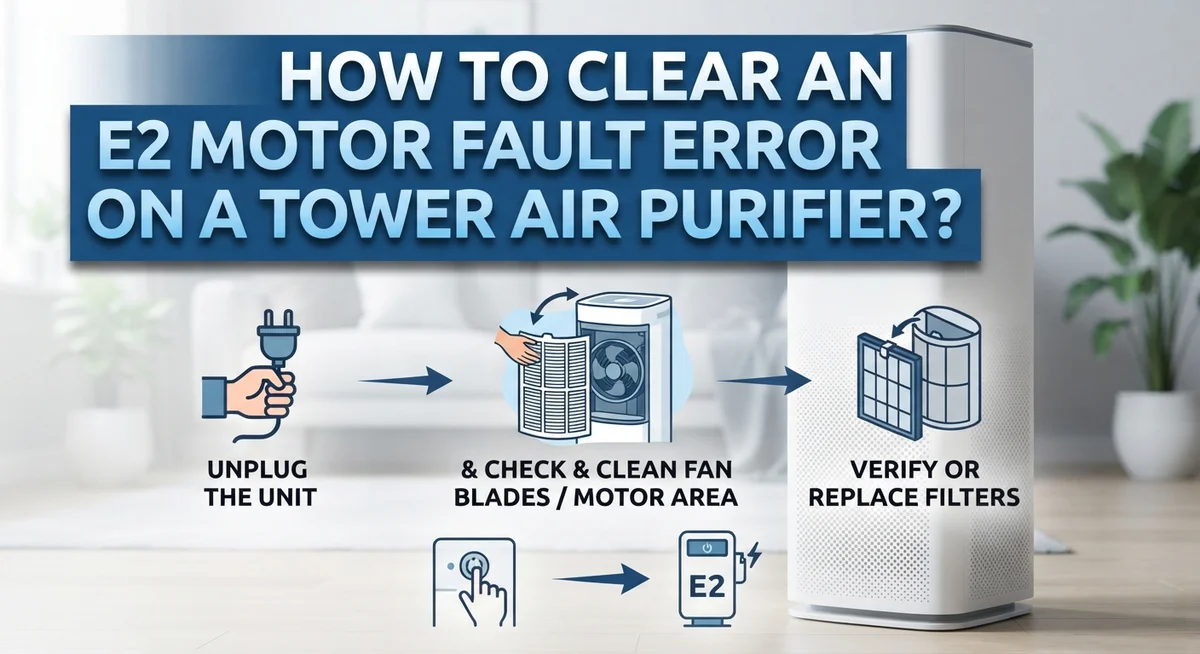
How To Clear An E2 Motor Fault Error On A Tower Air Purifier?
Does your tower air purifier suddenly flash an E2 error and stop working? You are not alone. This is one of the most common faults people see on their units.
The good news? You can likely fix it yourself. No need to call a technician right away.
An E2 error usually points to a motor fault or a blocked fan. Dust buildup often causes this issue. Sometimes a dirty sensor triggers the same message too.
This guide walks you through simple steps to clear the error fast. You will learn how to reset your unit safely. We also cover how to check for blockages and clean key parts.
In a Nutshell
- Unplug the unit first. Wait 10 minutes before plugging it back in. This simple reset clears many motor faults.
- Check the fan blades. Look for dust, hair, or small objects blocking the fan. Clear any blockage you find.
- Inspect and clean the filter. A dirty or clogged filter often triggers the E2 code. Remove it gently and check for buildup.
- Wipe the air quality sensor. Use a soft cloth only. Avoid harsh materials that could scratch or damage it.
- Try a factory reset. Hold the power button for 10 seconds. This often clears stubborn errors instantly.
- Reset Wi-Fi if needed. Hold the Auto Mode and Fan buttons together. This fixes connectivity related faults too.
What Does the E2 Motor Fault Error Mean?
The E2 motor fault error on your tower air purifier signals that something is blocking your fan or your motor needs attention. This error code acts as a safety feature. Your unit stops running to prevent damage when airflow gets restricted.
The most common trigger is a blocked fan. Dust, hair, and pet fur pile up around the fan blades over time. When the motor tries to spin the blades, it detects extra resistance and displays the E2 code. Your unit is protecting itself from overheating.
A clogged filter ranks as the second major cause. Filters trap dust and particles from your air. When a filter gets too dirty, airflow slows down significantly. Your motor works harder and eventually triggers the fault alert.
Dust on your air quality sensor also causes this error frequently. Sensors measure airflow speed and air quality. When dust covers the sensor, it sends false readings to your motor. Your unit thinks something is wrong and displays E2.
Physical blockages matter too. Sometimes small objects fall into the air intake. A piece of plastic, a toy, or debris can jam your fan completely. The motor detects this immediately and stops.
The good news? Most E2 errors are easy to fix at home. You do not need special tools or technical skills. The problem usually sits on the surface, not deep inside your machine.
Understanding what E2 means helps you troubleshoot faster. You know to look for blockages first. You understand why cleaning matters. You recognize that your air purifier is simply alerting you to a fixable issue.
Your next step is simple. Unplug your unit and start inspecting. Check the fan blades, examine your filter, and wipe your sensor. These basic actions clear most E2 errors within minutes.
Common Causes of the E2 Error
Your tower air purifier shows an E2 error for specific reasons. Understanding these causes helps you fix the problem quickly.
Blocked fan blades rank as the top culprit. Dust, hair, and pet fur accumulate around the spinning blades over weeks or months. When debris gets stuck, the fan cannot spin freely. The motor works harder and triggers the E2 fault code as a safety measure.
A clogged or dirty filter causes many E2 errors too. Filters trap particles from your air, so they get filled with dust over time. When the filter becomes too packed, airflow slows down significantly. Your motor then struggles to push air through, and the error appears on your display.
Dust on the air quality sensor frequently triggers this fault as well. This sensor sits inside your unit and monitors air cleanliness. When dust coats the sensor, it sends false signals to your motor. The system thinks something is wrong and displays the E2 code.
Physical blockages around your unit matter as well. Items placed too close to air intake vents restrict airflow. Furniture, curtains, or walls blocking the unit force your motor to work harder. Even a small obstruction can cause the error to activate.
Sensor malfunctions occasionally happen too. Sometimes the sensor itself fails without any visible dust or blockage. This rare issue requires a reset or professional attention.
The good news? Most E2 errors stem from simple cleaning problems, not serious motor damage. Dust buildup and filter clogs account for roughly 80 percent of cases. You can resolve these issues yourself in minutes using basic household items.
Start by checking what you can see and touch. Look at the fan blades first. Then inspect your filter. Clean your sensor gently. These three steps fix the majority of E2 errors without any additional help.
Step-by-Step Guide to Clearing the E2 Error
Start by unplugging your tower air purifier from the wall outlet. Wait a full 10 minutes before plugging it back in. This pause lets your unit’s system reset completely and often clears temporary error codes.
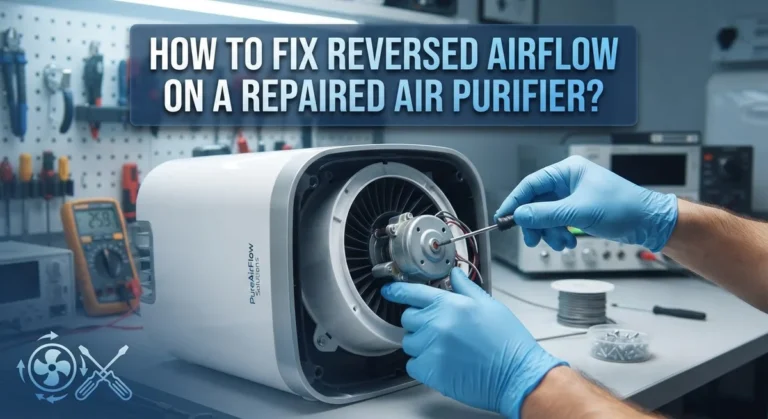
Next, inspect the fan blades directly. Open your unit according to the manual and look for any visible obstructions. Dust clumps, pet hair, or small debris frequently block the blades. Gently remove anything you find using your fingers or a soft brush.
Now examine your filter carefully. Pull it out and hold it up to light. If you see thick dust coating or discoloration, your filter needs cleaning or replacement. A clogged filter restricts airflow and triggers the E2 error. Clean reusable filters with a vacuum or soft brush. Disposable filters may need replacement if heavily soiled.
Locate your air quality sensor inside the unit. This small component often collects dust particles. Use only a soft, dry cloth to wipe it gently. Avoid paper towels or rough materials that scratch the sensor. Sensor damage causes persistent E2 errors.
After cleaning, reassemble your unit completely. Plug it back in and check if the error clears.
If the E2 code remains, try a factory reset. Press and hold your power button for 10 seconds until the display resets. If your model has Wi-Fi capability, hold the Auto Mode and Fan buttons together simultaneously for 5 seconds to reset wireless functions.
Check around your purifier too. Make sure nothing blocks the air intake or exhaust vents. Position your unit away from walls and furniture. Proper airflow prevents future motor faults.
Most E2 errors disappear after these steps. Your motor usually works fine once you remove blockages and clean sensors. If the error persists after cleaning and resetting, contact support for professional guidance.
How to Perform a Factory Reset and Wi-Fi Reset
A factory reset clears your purifier’s internal error log and restores default settings. This step works when cleaning alone does not solve the E2 error.
Start by unplugging your tower air purifier from the wall outlet. Wait at least 10 minutes before plugging it back in. This full power cycle allows your system to reset completely.
Next, locate the power button on your unit. Press and hold it for exactly 10 seconds without releasing. You will see lights flash or hear a beep when the factory reset begins. Do not interrupt this process once it starts.
After the reset completes, your purifier returns to original factory settings. Wi-Fi connections will disconnect, and any custom preferences disappear. This clean slate often eliminates error codes that stuck around after cleaning.
If the E2 error persists after a factory reset, try a Wi-Fi reset separately. Find the Auto Mode button and Fan button on your control panel. Press both buttons simultaneously and hold them for about 5 seconds. Your Wi-Fi indicator light will flash, showing the reset is working.
A Wi-Fi reset disconnects your purifier from your home network completely. This helps when communication errors trigger false fault readings. After resetting, you can reconnect to Wi-Fi through your app or control panel.
Important tip: perform the factory reset only after you have cleaned your filter, fan blades, and air quality sensor. Resetting without cleaning wastes time because dirty components still cause the E2 error.
If both resets fail to clear the error, your motor may have a genuine fault. Contact customer support with your model number and serial number ready. They can help determine if your unit needs professional service or replacement.
Tips for Preventing Future Motor Faults
Regular maintenance stops E2 errors before they start. Clean your filter every two weeks if you live in a dusty area. Monthly cleaning works fine for cleaner environments. Check your filter’s condition each time you inspect it.
Dust buildup causes most motor faults. Wipe down the air quality sensor monthly with a soft, dry cloth. Never use water or harsh chemicals on sensors. Gentle wiping prevents damage and keeps readings accurate.
Keep your purifier away from walls and furniture. Air needs space to flow freely around the unit. Position it at least 12 inches from any obstruction. This simple placement prevents airflow blockages that trigger E2 errors.
Inspect fan blades every month for debris. Pet hair, dust, and particles collect on blades quickly. A quick visual check takes just 30 seconds. Remove any visible blockages immediately.
Change your filter on schedule. A clogged filter forces your motor to work harder. Follow your purifier’s recommended replacement timeline. Delayed filter changes lead to motor strain and fault codes.
Keep the area around your purifier clean. Sweep or vacuum near the unit regularly. Less dust in your room means less dust inside your purifier. This reduces sensor contamination significantly.
Monitor your purifier’s performance between cleanings. Listen for unusual sounds or changes in fan speed. These signs indicate potential problems early. Catching issues quickly prevents full motor failures.
Store your purifier properly if you stop using it. Unplug it and cover it to prevent dust accumulation. When you restart it, run a quick inspection first.
Document your cleaning schedule. Write down when you clean filters and sensors. This habit helps you stay consistent. Consistency prevents most E2 errors from appearing in the first place.
Mistakes to Avoid When Troubleshooting
Making mistakes during troubleshooting can make your E2 error worse or delay the fix. Here are the main pitfalls to avoid.
Don’t skip the unplugging step. Many people try to reset the purifier while it’s still plugged in. This doesn’t work because the system stays powered. Unplug your unit for a full 10 minutes before attempting any troubleshooting. This gives the internal circuits time to discharge completely.
Avoid forcing your filter out. If you yank the filter without looking first, you might damage the housing or push debris deeper into the unit. Always inspect the filter gently and check for visible blockages before removal. Take your time during this step.
Don’t ignore the sensor. Many people clean the fan and filter but forget about the air quality sensor. Dust on this sensor triggers false E2 errors even when nothing is actually wrong with the motor. Use only a soft, dry cloth for cleaning. Never use liquids or rough materials that scratch the sensor surface.
Skip harsh cleaning methods. Compressed air, wire brushes, or aggressive wiping can damage delicate parts inside your purifier. Stick to soft cloths and gentle movements when cleaning any internal components.
Don’t perform resets in the wrong order. Always clean first, then try a factory reset, then attempt a Wi-Fi reset if needed. Resetting before cleaning wastes time because dirty parts will just trigger the error again.
Avoid ignoring airflow blockages. Check the area around your purifier for obstructions. Furniture, walls, or clutter near intake vents can restrict airflow and cause motor strain. Keep at least 12 inches of clear space around your unit on all sides.
Taking these precautions helps you fix the E2 error correctly the first time.
When to Seek Professional Repair
Your tower air purifier shows an E2 motor fault error for a reason. Most cases you can fix yourself at home. However, some situations call for professional help instead.
You should contact a repair specialist if you have already cleaned your filter, fan blades, and air quality sensor but the error remains. You should also seek help if you performed both a factory reset and a Wi-Fi reset without success. These steps cover nearly all E2 errors caused by blockages or sensor issues.
A genuine motor fault requires professional attention. If your fan makes unusual grinding or squealing sounds, the motor itself may be damaged. If the fan does not spin at all after cleaning and resetting, internal motor failure is likely. Professional technicians have tools to diagnose motor problems you cannot see from outside the unit.
Do not attempt to open your purifier’s internal housing yourself. Opening the unit can void your warranty and expose you to electrical hazards. Trained repair specialists know how to safely access internal components.
Consider professional repair if your purifier is still under warranty. Many manufacturers cover motor faults at no cost during the warranty period. Check your documentation or contact customer support to confirm coverage before paying for repairs.
Also seek help if your purifier leaks water or shows visible damage to the casing. These signs suggest problems beyond a simple motor fault. Professionals can assess whether repair makes sense or if replacement is more practical.
Time matters with motor faults. Continuing to run a purifier with a failing motor can cause additional damage. If you suspect a genuine fault rather than a blockage issue, stop using the unit and contact a repair center. This prevents small problems from becoming expensive ones.
Final Thoughts
An E2 motor fault error feels frustrating, but it rarely means your purifier is broken forever. Most cases trace back to simple issues like dust buildup or blocked airflow. A quick clean and reset often solves the problem within minutes.
Think of this error as a helpful signal, not a disaster. Your purifier is telling you it needs attention. That’s actually a good thing.
Start with the basics every time. Unplug the unit, check the filter, and clean the sensor. These three steps solve the majority of E2 errors without any extra effort.
Patience matters during this process. Rushing through steps or skipping the unplug time can leave the error unresolved. Take your time with each stage.
Regular maintenance prevents this error from happening again. A clean filter and clear fan blades keep your motor running smoothly. Small efforts now save bigger headaches later.
If you’ve tried everything and the error persists, don’t panic. Some motor faults simply need professional eyes. That’s not a failure on your part.
Your tower air purifier is a valuable tool for cleaner air at home. Treating it well extends its life significantly. A few minutes of care each month goes a long way.
Remember this: most E2 errors are fixable at home. You don’t need special tools or advanced skills. Just follow the steps, stay calm, and check each component carefully.
Trust the process outlined here. Clean, reset, and inspect in the right order. This approach solves the problem for most purifier owners.
Keep this guide handy for future reference. Motor faults can happen again, even with good care. Knowing what to do saves you time and stress.
Your purifier can serve you well for years. Simple maintenance and quick troubleshooting keep it running efficiently. That’s the real goal here.
Frequently Asked Questions
Can I fix an E2 motor fault error myself?
Yes, you can fix most E2 errors at home. The error usually means your fan is blocked or your motor needs a reset. Start by unplugging the unit for 10 minutes to let the system reset. Then remove your filter and check for dust or blockages. Clean your air quality sensor with a soft cloth. If the error persists, hold your power button for 10 seconds to perform a factory reset.
What causes the E2 error?
Three main issues trigger this error. First, obstructed fan blades prevent proper airflow. Second, a clogged or dirty filter restricts air movement. Third, dust buildup on sensors confuses your purifier’s system. Physical blockages are the most common culprit, so always inspect your unit carefully before trying resets.
How often should I clean the air quality sensor?
Clean your sensor regularly, especially if you live in a dusty environment. Monthly cleaning works well for most homes. Use only a soft, dry cloth to wipe the sensor gently. Avoid compressed air, wire brushes, or harsh materials that damage delicate parts. Regular sensor maintenance prevents many E2 errors from happening.
When should I call a professional?
Contact a repair specialist if cleaning and resetting don’t solve the problem. A genuine motor fault requires professional attention. Also seek help if your purifier leaks water, shows visible casing damage, or is still under warranty. Don’t open the internal housing yourself, as this voids your warranty and can expose hazardous components.

I’m Maya Brown, the voice behind Pure Breeze Vault. I write detailed, honest, and easy-to-follow air purifier reviews to help readers compare features, understand filter technologies, and choose products with confidence. My goal is to make research simpler, clearer, and more practical for anyone improving indoor air quality at home.