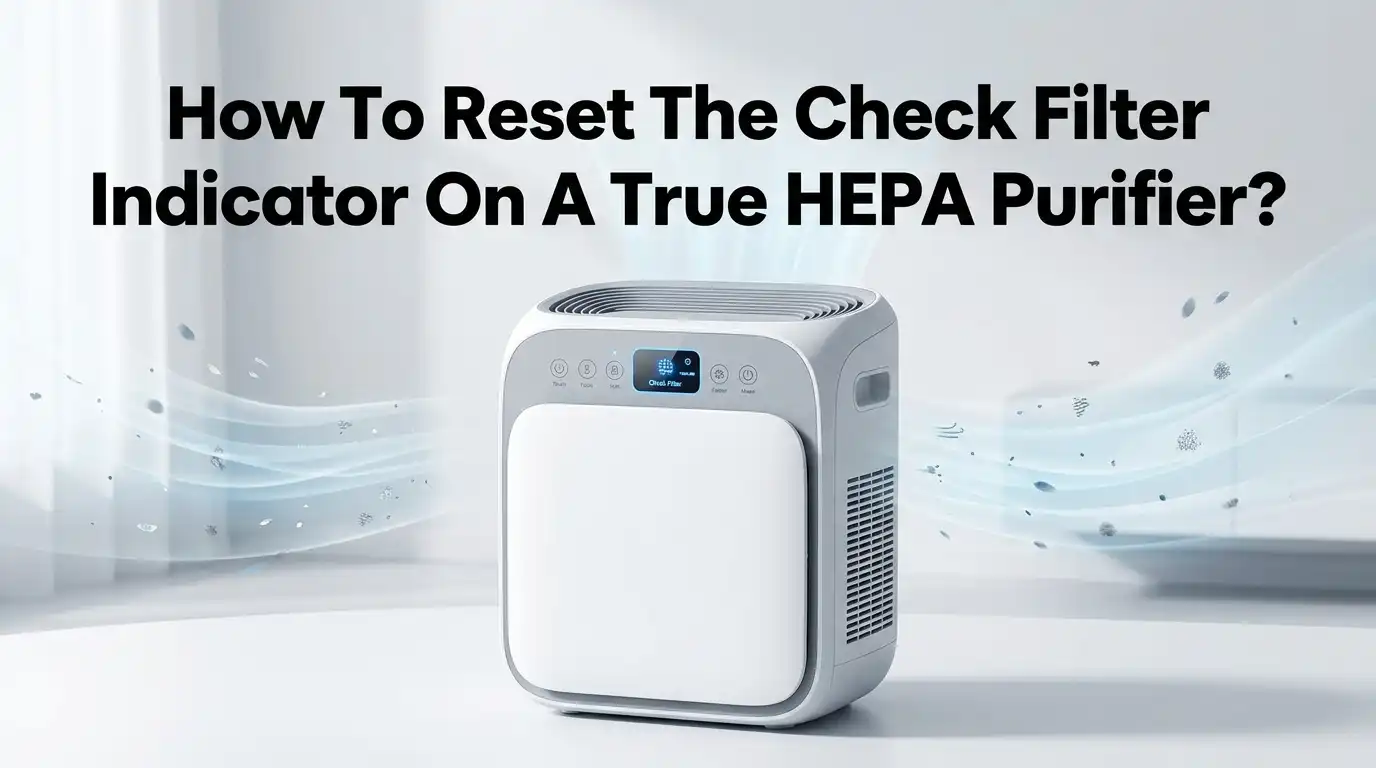
How To Reset The Check Filter Indicator On A True HEPA Purifier?
Your True HEPA purifier keeps the air in your home clean and fresh. But one day, a little light starts glowing. It says “Check Filter,” and you may feel confused.
You just changed the filter, yet the light still stares back at you. Don’t worry. This light is not a sign of damage. It is a friendly reminder built into your machine.
The good news is simple. You can reset this indicator in under a minute. Most units only need one button and a few seconds of your time. In this guide, you will learn every method, every trick, and every fix that works.
Key Takeaways
- The check filter light is a timer, not a fault. It tracks how many hours your purifier has run. It does not actually measure how dirty your filter is.
- Most True HEPA purifiers reset with one button. You usually press and hold the filter button for around 5 to 15 seconds until the light turns off or blinks.
- Replace the filter before you reset the light. Resetting the timer without a new filter only hides the reminder and lowers your air quality.
- The reset button location changes by brand. Look on the top panel, the back, or near the power button. Some units use the fan speed button instead.
- Power and seating matter. A loose filter, an open lid, or a power glitch can stop the reset from working. Always seat the filter firmly first.
- Check your manual when stuck. Each brand has small differences. Your specific model card holds the exact timing and button combo.
What The Check Filter Indicator Actually Means
Many people panic when this light appears. They think the machine is broken. The truth is much calmer. The check filter indicator is a built in timer. Your purifier counts the hours it runs. Once it hits a set number, it lights up.
This light does not sense dust or dirt directly. It simply assumes that after enough hours, your filter needs attention. Most True HEPA filters last between 1,000 and 1,400 hours, which is about 6 to 12 months of normal use.
So the light is a helper, not an alarm. It nudges you to inspect or swap your filter. Once you handle the filter, you must reset the timer so the count starts fresh.
Why The Light Stays On After A Filter Change
This is the most common complaint people have. You install a brand new filter, yet the red or orange light keeps glowing. This frustrates everyone, but the fix is usually easy.
The reason is clear. Changing the filter does not reset the timer by itself. The machine has no way to know you swapped the part. You must tell it manually by pressing the reset button.
Other causes exist too. A loose filter, a plastic wrapper left on the filter, or an open front panel can all keep the light active. In rare cases on older units, the reset circuit wears out. Always confirm the filter is fully seated and unwrapped before you blame the machine.
Step By Step: The Universal Reset Method
Most True HEPA purifiers follow the same basic pattern. If you learn this one method, you can handle nearly any model. Follow these steps in order for the best result.
First, turn the unit on and let it power up fully. Second, find the button labeled “Filter,” “Reset,” “Check Filter,” or “UV.” Third, press and hold that button for about 5 seconds. Keep holding until the light blinks or goes dark.
For some brands, you may need to hold for 10 or even 15 seconds. Listen for a beep, since many units beep to confirm the reset. Release the button once the light turns off. Your timer is now clean and ready to count again.
Pros: This method is fast, free, and works on most models. Cons: Button names vary, so you may need to try the closest match first.
How To Reset Popular Brand Models
Each brand handles the reset a little differently. Knowing your brand saves time. Here are the common patterns based on real user guides.
For Levoit purifiers, hold the filter button or the “Check Filter” symbol for around 5 seconds. For Honeywell, press the lighted reset button and hold for about 2 seconds, or press it twice within one second on certain Insight models.
For Winix, press and hold the “Plasmawave” or filter button until the light clears. For Blueair, hold the fan speed button for 15 seconds until all LEDs light up. For Coway and GermGuardian, hold the power or HEPA reset button for 5 seconds.
Pros: Brand specific steps remove guesswork. Cons: Older or newer versions of the same brand may differ slightly, so confirm with your card.
Where To Find The Reset Button On Your Unit
Finding the right button is half the battle. Manufacturers place these buttons in different spots. A quick search saves you frustration.
Look first at the top control panel. Many touch based purifiers hide the reset in a filter icon there. Next, check the back or side of the unit, since some brands use a small physical button you press with a pen tip.
A few models tuck the reset near the power button or inside the filter compartment. If you see a tiny pinhole labeled “Reset,” use a paperclip or pen tip to press it. Always read the icons carefully. A glowing icon is often the exact button you need to hold.
Should You Reset Without Replacing The Filter
This is a tempting shortcut. The light is annoying, and a new filter costs money. But resetting without a fresh filter is risky. The light came on for a reason.
When you reset the timer but keep the old filter, you trick the machine into thinking the filter is new. The air may keep flowing, but the dirty filter cannot trap particles well. Your air quality drops without you noticing.
In some cases, the filter still has life left, like if the light triggered early. You can inspect it first. A gray, clogged, or smelly filter needs replacing now. A clean looking filter may be reset and reused for a short time. When in doubt, replace it.
Pros of resetting only: Saves money short term. Cons: Weaker filtration, dirtier air, and possible strain on the motor over time.
How To Clean Or Inspect The Filter Before Resetting
Some True HEPA filters allow light cleaning, but the HEPA layer itself should not be washed. Knowing the difference protects your machine. Never rinse a true HEPA filter unless the maker says it is washable.
Start by unplugging the unit. Open the filter compartment and slide the filter out gently. Use a soft brush or a vacuum to remove loose dust from the pre filter layer. This step alone can boost airflow.
Check the HEPA section for color and smell. A heavy gray tone or a musty odor means the filter is done. Wipe down the inside of the compartment with a dry cloth. Then reinstall the clean or new filter, seat it firmly, and only then press reset.
Pros: Cleaning extends pre filter life. Cons: The HEPA core still wears out and cannot be cleaned forever.
Troubleshooting When The Reset Does Not Work
Sometimes you press the button, but nothing happens. Stay calm, because the fix is usually small. Work through these checks one by one.
First, confirm the unit is powered on, since many resets only work when running. Second, make sure the filter is fully pushed in and the front panel is closed tight. A loose panel often blocks the reset.
Third, hold the button longer than you think. Some models need a full 15 seconds. Fourth, unplug the purifier for 30 seconds, then plug it back in to clear any glitch. Fifth, try pressing the button twice quickly if holding fails.
Pros: These steps solve most reset failures for free. Cons: If the button or sensor is physically broken, you may need brand support or a repair.
Using The App To Reset Smart Purifiers
Many modern True HEPA purifiers connect to a phone app. This adds a second way to reset your filter. App control is handy when the buttons feel confusing.
Open the brand app, such as the VeSync app for Levoit. Find your device on the home screen and tap it. Look for a “Filter Life” or “Reset Filter” option in the settings menu. Tap it and confirm.
The app then resets the timer and often shows a fresh 100 percent filter life reading. This visual confirmation is reassuring. The app also sends reminders before the next change is due.
Pros: App resets are clear, trackable, and remote. Cons: You need Wi Fi, a working account, and a smart model, which not every purifier has.
How To Prevent The Filter Light From Coming On Too Soon
Sometimes the light appears earlier than expected. A few smart habits can stretch your filter life. Good airflow keeps your filter healthier for longer.
Run your purifier on a lower fan speed when the air is already clean. High speed all day burns through filter hours fast. Place the unit away from walls and curtains so air moves freely.
Clean the pre filter every two to four weeks with a vacuum. This stops dust from reaching the HEPA layer too quickly. Keep windows closed during high pollution or pollen days to reduce the load.
Pros: These habits save money and improve air quality. Cons: They take a little routine effort, and heavy pollution areas still need frequent changes.
How Often You Should Reset And Replace Filters
Timing matters for both health and savings. Most True HEPA filters last 6 to 12 months. That equals roughly 1,000 to 1,400 running hours for many units.
Homes with pets, smokers, or high dust may need changes every 3 to 6 months. Cleaner homes with light use can stretch closer to a year. Your nose and eyes are good guides too.
Pre filters often need cleaning monthly, while carbon layers may last around 3 to 6 months. Reset the indicator every single time you install a new filter. This keeps the timer honest and your reminders accurate.
Pros: A steady schedule protects your lungs and your motor. Cons: Replacement filters are an ongoing cost you should budget for.
When To Contact Support Or Replace The Unit
Most filter light issues are simple. But a few signs point to a deeper problem. Know when to ask for help instead of guessing.
If the light stays on after a real filter change, a correct reset, and a power cycle, the sensor or reset circuit may be faulty. This is common in older machines. Contact the brand support team with your model number ready.
Other warning signs include weak airflow, strange noises, burning smells, or a unit that will not power on. These point to motor or electrical trouble. A purifier more than 7 to 10 years old may cost more to fix than replace.
Pros: Support can offer free fixes under warranty. Cons: Out of warranty repairs are sometimes costly, making a new unit the smarter choice.
Frequently Asked Questions
Why is my check filter light still red after I reset it?
The light may stay red if you did not hold the button long enough. Try holding it for a full 15 seconds. Also confirm the filter is seated tight and the panel is closed. A quick unplug and replug often clears a stubborn light.
Can I just turn off the check filter light without doing anything?
You can reset it without changing the filter, but this is not wise. The light came on to protect your air quality. Resetting alone hides the reminder while a dirty filter keeps working. Always inspect or replace the filter first.
How long do I press the filter reset button?
Most True HEPA purifiers need 5 to 15 seconds of holding. Levoit and many small units use about 5 seconds. Blueair often needs 15 seconds. Listen for a beep or watch for the light to blink, which confirms the reset worked.
Does resetting the light improve my air quality?
No, resetting the light does nothing to the air itself. It only restarts the internal hour counter. Real air quality comes from a clean filter and good airflow. Replace or clean the filter to actually improve the air in your room.
Is the check filter light the same as a malfunction warning?
No, they are different. The check filter light is a normal maintenance reminder. It is not a fault code. A flashing power light, error code, or strange noise points to a malfunction. If those appear, contact your brand support for help.
What if my purifier has no reset button at all?
Some smart models reset only through their app. Open the brand app and look for a “Filter Life” reset option. Other units reset automatically when you open and close the filter door. Check your manual to confirm your model’s exact method.

I’m Maya Brown, the voice behind Pure Breeze Vault. I write detailed, honest, and easy-to-follow air purifier reviews to help readers compare features, understand filter technologies, and choose products with confidence. My goal is to make research simpler, clearer, and more practical for anyone improving indoor air quality at home.