SwitchBot Air Purifier Review 2026: Worth Buying?
Clean air at home should not feel like a luxury. Yet most air purifiers sit in a corner like a plastic bucket and do one job only. SwitchBot took a different path. The company built an air purifier that doubles as a side table, charges your phone, glows in ten colors, and spreads scent across the room.
That sounds like too many ideas in one box. I wondered the same thing. So I spent weeks testing this unit next to my couch and in my bedroom. I tracked air quality readings, measured noise, and pushed every mode in the app.
This review covers what works, what disappoints, and whether the price makes sense in 2026. You will also see real filter costs and three solid alternatives. Let us get into it.
In a Nutshell:
- Strong cleaning power for the price. The unit carries a CADR of 236 CFM, which equals 400 cubic meters per hour. It clears a 215 square foot room in roughly 7.2 minutes and covers up to 1,800 square feet in an hour. During my dry shampoo test, PM2.5 spiked to 619 micrograms per cubic meter and dropped back to “good” in about 60 seconds.
- Two versions exist. The Air Purifier Table adds a wood grain top and a wireless charger. The plain SwitchBot Air Purifier skips both and costs less. Both use the same motor and the same filter.
- Very quiet where it matters. Sleep mode measured 26dB from two feet away. Top speed hit around 55dB, which sounds like light traffic.
- It only senses PM2.5. There is no VOC sensor and no carbon dioxide sensor. The carbon filter traps odors, but the fan will not ramp up on its own for smells.
- Matter support is real but thin. You get on and off control through Matter. Fan speed, modes, and the light still live inside the SwitchBot app.
- Filters cost 39.99 dollars and last six to twelve months. Budget for that before you buy.
What Is the SwitchBot Air Purifier Table?

Last update on 2026-10-04 / Affiliate links / Images from Amazon Product Advertising API
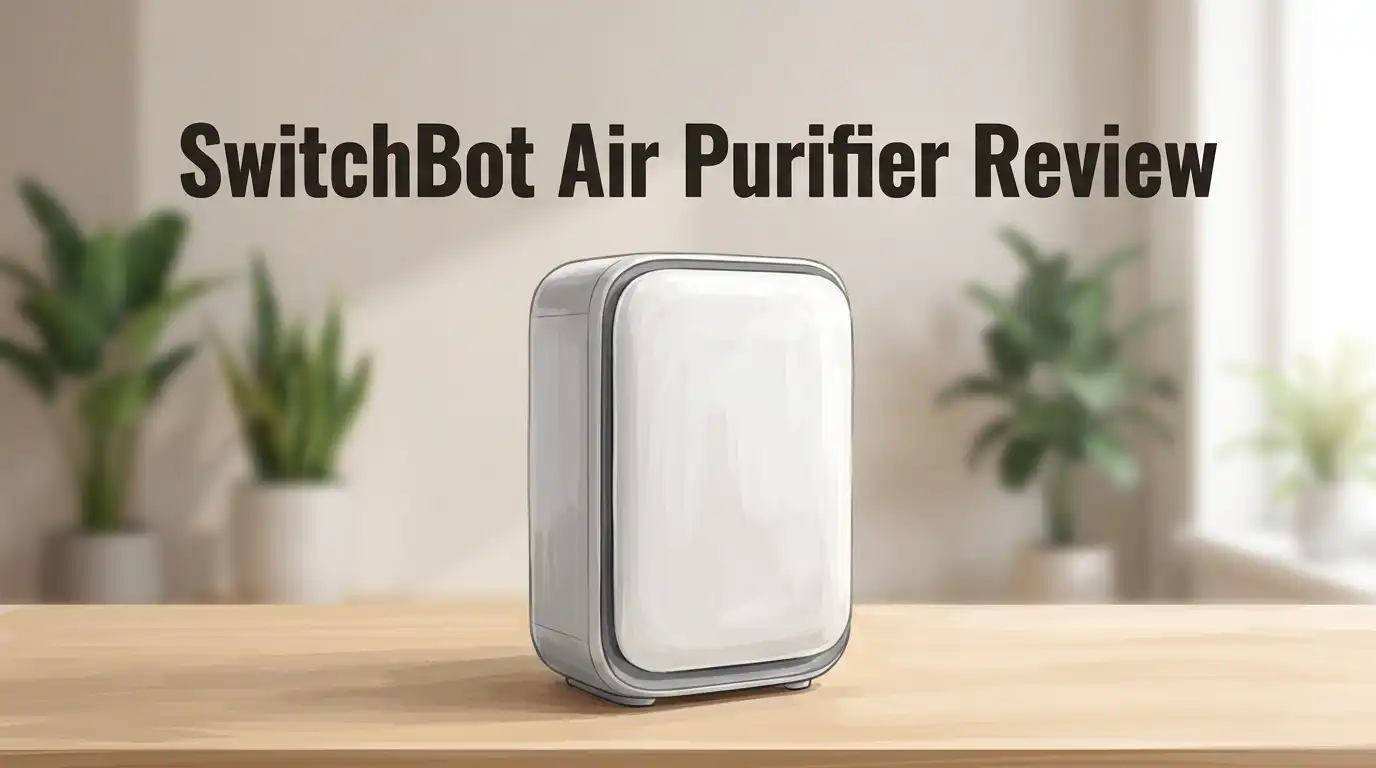
The SwitchBot Air Purifier Table is a 4 in 1 home device. It purifies air, works as a side table, charges phones wirelessly, and glows as an ambient lamp. A small fragrance pad sits on the back panel as a fifth trick.
The purifier body measures 11.4 by 11.4 by 16.5 inches. The tabletop stretches that footprint to 420 by 290mm. Total weight lands at 10.7 pounds, so it feels planted but still easy to move.
Inside sits a three stage filter with a washable pre filter, a true HEPA layer, and pet friendly activated carbon. An infrared dust sensor reads PM2.5 and adjusts the fan in Auto mode.
SwitchBot lists it at 269.99 dollars, though discounts appear constantly. I have seen it near 148 dollars on sale, which changes the value story completely.
Unboxing Experience and First Impressions
The box arrived big and heavy. SwitchBot packed everything in thick foam, and nothing shifted during shipping. I found the purifier body, the wood grain tabletop, a power brick, a manual, a small Phillips screwdriver, and four screws.
The tabletop surprised me first. It does not look like tech. It looks like furniture from a Scandinavian catalog. The matte finish hides fingerprints well, and the grain pattern reads as convincing from a few feet away.
Assembly took about ten minutes and got slightly annoying. A small electrical connector must click together before the top rotates into place. Then come the screws. You only need two of the four, but they hide under the tabletop lip.
I managed it. Many reviewers gave up and left them out entirely. The table still holds firm without them.
Build Quality and Everyday Design
The plastic shell feels dense rather than hollow. I tapped the sides and heard no rattle. The filter door holds shut with magnets and swings open sideways with a gentle pull. You can lift the door off completely, which helps during cleaning.
Control buttons sit on the top edge, tucked just under the tabletop. This placement is the weakest design choice. You cannot see the buttons while standing. I had to crouch or sit to read them during the first week.
A child lock button solves a real problem for families with toddlers. Press it and the panel ignores curious fingers.
Air exits through a 360 degree outlet, so placement feels flexible. SwitchBot still asks for one inch of clearance at the back and roughly two feet on the other sides.
Top 3 Alternative for SwitchBot Air Purifier


Last update on 2026-10-03 / Affiliate links / Images from Amazon Product Advertising API
LEVOIT Core 400S-P Smart Air Purifier

Last update on 2026-10-03 / Affiliate links / Images from Amazon Product Advertising API
COWAY Airmega Mighty AP-1512HH Air Purifier

Last update on 2026-10-03 / Affiliate links / Images from Amazon Product Advertising API
BLUEAIR Blue Pure 211i Max Smart Air Purifier
Setup and the SwitchBot App
Pairing took under two minutes. I plugged the unit in, opened the SwitchBot app, and tapped add device. The app found the purifier immediately. A two second hold on the power button confirmed the link.
A firmware update followed. Do not skip this step if you plan to use Matter, since the newer build enables that connection.
The app layout stays clean. The home screen shows live PM2.5 numbers plus the active mode. An environmental data tab logs readings by hour over 24 hours and by day across 30 days. I could spot exactly when cooking smoke spiked the room.
Schedules, a 12 hour timer, and filter life hours all live here too. One complaint stands out. The light controls hide deep in settings instead of sitting on the main screen.
Filtration System: What It Actually Captures
Three layers do the work. The pre filter is a 40 to 50 mesh gauze that catches hair and large dust. You detach it and wash it or vacuum it, which saves money over time.
The HEPA layer handles particles between 0.1 and 0.3 micrometers at 99.97 percent efficiency. That range covers smoke, pollen, dust, and dander.
Activated carbon finishes the job on smells. SwitchBot tuned this layer for ammonia, hydrogen sulfide, methyl mercaptan, trimethylamine, and acetic acid. Those compounds explain litter box odor and kitchen funk.
Company testing claims 99.9 percent removal of pet bacteria and odors, 99.01 percent of cat allergens, and 93.45 percent of floating pet hair within 30 minutes on Auto. Treat lab numbers as a ceiling, not a promise. Real rooms have doors, drafts, and furniture.
Real World Performance Testing
I ran the standard contamination test. A short spray of dry shampoo from two feet away sent the PM2.5 reading to 619 micrograms per cubic meter within 30 seconds. The sensor reacted almost instantly.
The fan jumped to high on its own. Thirty seconds later the app showed “good.” Under two minutes total brought it back to “very good.” That response time beats most purifiers near this price.
Daily use felt less dramatic and more reassuring. Auto mode kept my living room between 2 and 8 micrograms per cubic meter. Cooking pushed it to 40 briefly, then it settled.
One honest gap appeared. The fragrance from the dry shampoo lingered after particles cleared. I had to raise the fan to level two manually. Fifteen minutes later the smell was gone.
Noise Levels Across Modes
Noise decides whether a purifier stays plugged in or gets unplugged. SwitchBot rates the range from 20dB to 52dB. My meter read slightly higher at the top end.
Sleep mode measured 26dB from two feet. That sits below a whisper. I slept beside it with zero issue and often forgot it was running.
Auto mode in clean air stays nearly silent. You hear a faint air movement if the room is dead quiet.
Top speed read about 55dB. That is audible. It sounds like light traffic outside a window or a desk fan on medium. Conversation still works, but you will notice it during a quiet movie scene.
Pet mode behaved oddly. SwitchBot describes it as a gentle air supply for nervous animals. In practice it simply locked the fan at speed two, around 49dB.
Wireless Charging on the Tabletop
This feature became my favorite part. A Qi1 charging pad hides under the tabletop surface. Drop a phone on the marked spot and charging begins.
Output reaches 15W for Android devices and 7.5W for iPhones. This is not a fast charger by 2026 standards. Expect a slow top up rather than a quick refill before leaving the house.
It still earns its place. My phone lived on that pad every evening. Wireless earbuds charged fine too. Most smartwatches do not work, since they need proprietary pads.
You can switch the charger off entirely through the app. That helps if you worry about standby draw or if the coil interferes with cards in a phone case.
Ambient Light and Fragrance Diffuser
A ring of LED light sits beneath the tabletop. Ten colors are available, plus an automatic setting.
Auto mode turns the light into an air quality display. Blue means excellent. Green means good. Yellow signals moderate levels. Red warns of poor air. This visual feedback works better than numbers on a phone. I glanced over and knew instantly.
Manual color selection turns it into a soft mood lamp. It throws gentle light on the floor without lighting the whole room.
The fragrance diffuser lives behind a push to open flap on the back. A small sponge pad accepts drops of essential oil or perfume. The fan then spreads scent as it circulates air.
It worked better than I expected. Keep pet safety in mind, since several oils harm cats and dogs.
Smart Home and Matter Compatibility
SwitchBot lists support for Alexa, Google Home, Apple Home, SmartThings, Home Assistant, and Matter. The device runs on 2.4GHz WiFi only, which is worth knowing if your network crowds that band.
Matter certification means direct pairing with most ecosystems after the firmware update. Earlier units needed a SwitchBot Hub Mini or Hub 2 as a bridge.
Here comes the disappointing part. Matter exposes only power on and power off. Fan speed, mode switching, and the LED light stay locked inside the SwitchBot app.
Home Assistant users see the same limitation. You can automate the purifier to run when you leave or when outdoor air quality drops. You cannot script speed changes without workarounds.
Voice commands work for basic control, which covers most daily needs.
Filter Costs and Maintenance
Running costs matter more than sticker price. The genuine SwitchBot replacement filter sells for 39.99 dollars, and two packs are available at a lower cost per unit.
SwitchBot suggests replacing the HEPA layer every six to twelve months. Carbon gets a twelve month recommendation. The app tracks exact hours used and hours remaining, so you never guess.

Last update on 2026-10-04 / Affiliate links / Images from Amazon Product Advertising API
The pre filter saves you money. Vacuum it or rinse it with warm water every two to four weeks. Clean pre filters keep the HEPA layer breathing longer.
Power draw sits at 40W maximum. Standby costs less than 0.5W with WiFi off and under 2W with WiFi on. Annual electricity cost stays low even with constant use.
What the SwitchBot Air Purifier Does Not Do Well
Honest reviews need this section. Several real weaknesses exist here.
No VOC sensor. The unit reads PM2.5 only. Paint fumes, cleaning sprays, and cooking gases go undetected. The fan will not respond to them automatically.
Odors need manual help. Because particles clear fast, the fan drops back to low while smells remain. You must raise the speed yourself.
Matter control stays basic. On and off only. That frustrates anyone building detailed automations.
Assembly fights back. The tabletop screws sit in an awkward spot. Some owners never install them.
Controls hide under the tabletop. You cannot read them while standing.
2.4GHz WiFi only. No 5GHz option in 2026 feels dated.
Pet mode is misleading. It raises fan speed rather than softening airflow as advertised.
Pros and Cons
Pros
- Fast PM2.5 detection and clearing, with my test room returning to clean air in under two minutes
- Genuinely quiet sleep mode at 26dB, which makes bedroom use easy
- Strong 236 CFM CADR that handles large open rooms up to 1,800 square feet
- Useful extras including a wireless charger, ten color ambient light, and a working fragrance diffuser
- Washable pre filter that extends HEPA life and cuts long term cost
- Clean, responsive app with 24 hour and 30 day air quality history
- Furniture styling that blends into living rooms instead of standing out
- Frequent discounts that push the price far below list
Cons
- No VOC or carbon dioxide sensing at any price tier
- Matter integration limited to power control only
- Fiddly tabletop assembly with hard to reach screws
- Buttons hidden beneath the tabletop edge
- Wireless charging speed trails modern standards
- Pet mode does not match its description
- 2.4GHz WiFi only, with no 5GHz support
- Filter replacement adds 39.99 dollars roughly twice a year
Who Should Buy the SwitchBot Air Purifier?

Last update on 2026-10-04 / Affiliate links / Images from Amazon Product Advertising API
Buy the Table version if you need furniture anyway. A nightstand with built in clean air and phone charging saves floor space in small apartments and bedrooms.
Buy the standard version if you only want clean air. It shares the same motor, the same filter, and the same sensor at a lower price. You lose nothing in purification performance.
Pet owners get real value here. The carbon layer targets litter and dander odors, and the washable pre filter catches hair before it clogs anything.
Skip both if you need VOC tracking. People sensitive to chemical fumes, new furniture off gassing, or formaldehyde should spend more on a purifier with a gas sensor.
Allergy sufferers and smoke season households will be happy. Automation enthusiasts should read the Matter limits twice.
Final Verdict
The SwitchBot Air Purifier earns a recommendation with clear conditions. Air cleaning performance is strong, the noise floor is genuinely low, and the app gives useful data without clutter.
The extras could have felt gimmicky. They do not. I used the charger daily, glanced at the light constantly, and liked the diffuser more than expected.
The gaps are real though. No VOC sensing, thin Matter support, and awkward assembly hold it back from a perfect score. At full list price, the value argument weakens.
At discounted prices, which appear often, this becomes one of the better smart purifier buys of 2026. Check the current price before deciding, and pick the plain model if furniture is not your goal.
Frequently Asked Questions
Does the SwitchBot Air Purifier need a hub?
No hub is needed for the SwitchBot app or for voice assistants. Current firmware supports direct Matter pairing. Older units may still need a Hub Mini or Hub 2 for Matter ecosystems.
How often should I replace the filter?
Replace the HEPA filter every six to twelve months depending on use. The app tracks remaining hours exactly. Clean the washable pre filter every two to four weeks.
Can I wash the HEPA filter?
You can vacuum the surface and rinse the pre filter with warm water. Let everything dry completely before reinstalling. Rinsing reduces HEPA efficiency over time, so replacement remains the better option.
Is it loud enough to disturb sleep?
No. Sleep mode measures around 26dB, which sits below a whisper. Top fan speed reaches roughly 55dB, so avoid maximum speed overnight.
What room size does it cover?
It purifies 215 square feet in about 7.2 minutes and up to 1,800 square feet in one hour. Coverage claims reach 3,620 square feet at lower air change rates.
Does it detect VOCs or gases?
No. The infrared sensor reads PM2.5 particles only. The carbon filter still captures odors and gases, but the fan needs manual adjustment to clear them quickly.
Can smartwatches use the wireless charger?
Most cannot. The Qi pad works with phones and many wireless earbud cases. Smartwatches usually require proprietary charging pads.

I’m Maya Brown, the voice behind Pure Breeze Vault. I write detailed, honest, and easy-to-follow air purifier reviews to help readers compare features, understand filter technologies, and choose products with confidence. My goal is to make research simpler, clearer, and more practical for anyone improving indoor air quality at home.