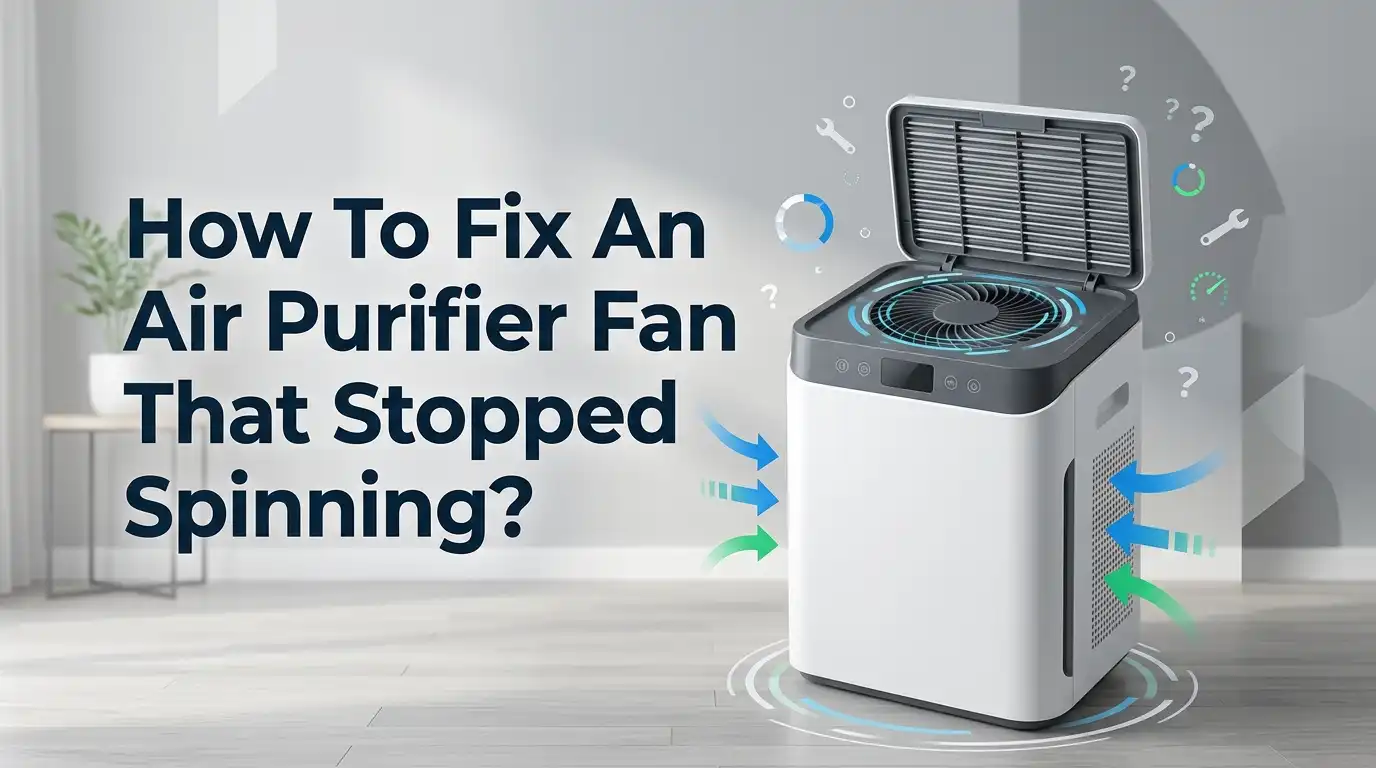
How To Fix An Air Purifier Fan That Stopped Spinning?
Your air purifier can look fine from the outside and still stop moving air. The lights may turn on. The buttons may respond. But the fan stays still, and the room starts to feel stuffy again.
That problem is common, and in many cases, it has a simple cause. A clogged filter, a blocked fan, a loose cover, a sleep setting, or heat buildup can stop the fan from turning.
Sometimes the fix takes two minutes. Sometimes the unit needs a deeper check. The good news is that you can rule out the easy problems first and avoid wasting time or money.
In a Nutshell
- Start with the simple checks first. Many air purifier fan problems come from power issues, loose filter doors, sleep mode, or a filter that still has plastic on it. These are fast fixes. They cost nothing. They also save you from opening the machine too soon.
- A dirty filter can stop airflow and stress the fan. If the filter is packed with dust, the purifier may run loud, overheat, shut down, or fail to move air well. In some units, a badly clogged filter can make the fan seem dead even when the machine still has power.
- Blockages inside the fan area are very common. Dust, hair, lint, and larger bits of debris can collect near the intake, blade area, or motor housing. A quick clean can free the blade and restore normal movement. This is one of the best low risk fixes for a fan that suddenly stopped.
- Settings can fool you. Sleep mode, child lock, fan speed controls, and reset lights can make a working machine look broken. Some units will also refuse to run if the filter door, grille, or top section is not seated correctly.
- Sound gives you clues. A humming sound with no spin often points to a stuck blade, a failing motor, or a weak internal part. Grinding can mean dirt or wear. A burning smell is more serious. That is a stop sign, not a push through moment.
- Know when to repair and when to replace. If the purifier is new, still under warranty, or has a sealed design, service is often the better choice. If the unit is old and the motor is failing, replacement may make more sense than a risky repair. The best fix is the one that is safe, practical, and worth the cost.
Why an Air Purifier Fan Stops Spinning in the First Place
An air purifier fan stops spinning for one of a few common reasons. Power may not be reaching the motor. The filter may be clogged. The blade may be blocked by dust or hair. The unit may also be in sleep mode, overheated, or waiting for the filter cover to lock into place.
That is why you should avoid guessing. A dead fan does not always mean a dead motor. In many cases, the machine is protecting itself or struggling against poor airflow. That is good news because those problems are often fixable at home.
The biggest pro of starting with causes is that it saves time. You stop chasing random fixes. The con is that you still need to test each idea one by one. There is no magic shortcut.
A clear plan works best. Start with power, move to settings, then inspect filters, vents, and the fan area. Save deep repair for the end. That order keeps the job safe and simple.
Safety First Before You Touch the Unit
Before you do anything else, turn the air purifier off and unplug it from the wall. This step matters even if the fan already seems dead. A purifier can still hold power in parts of the system, and the fan can start moving if a setting changes or a blockage shifts.
Let the unit sit for a few minutes. Then move it to a bright table or floor area where you can see dust, screws, and covers clearly. Keep water away from the motor area. Use a dry cloth, a soft brush, or a vacuum with gentle suction.
The pro of a safety first approach is obvious. You reduce the risk of shock, cuts, and accidental damage. The con is only that it adds a few extra minutes, but those minutes are worth it.
If you smell burning, see melted plastic, or notice heat damage near the cord or housing, stop there. Do not keep testing it. That kind of fault calls for service or replacement, not home trial and error.
Check the Outlet, Plug, and Power Cord
A purifier fan that stopped spinning may have a very basic power problem. Start by plugging a lamp or phone charger into the same outlet. If the outlet fails, the purifier is not the real issue. If the outlet works, check the purifier cord for cuts, kinks, loose points, or a weak fit at the back of the unit.
Some air purifiers have a removable power cable. Push that cable in firmly. Also check whether the outlet is tied to a wall switch. That small detail causes a lot of confusion.
This method has a big pro. It is fast, safe, and free. The con is that it only rules out external power trouble. It does not tell you what is happening inside the machine.
If the control panel lights do not come on at all, stay focused on power first. If the lights come on but the fan does not move, go to the next steps. That usually means the fault is farther inside the airflow or control system.
Make Sure the Fan Is Actually Supposed to Be Running
Sometimes the purifier is not broken. It is just set in a way that makes the fan look inactive. Sleep mode can run very quietly. Auto mode may lower speed when the room air seems clean. Some units also use a fan button, child lock, or timer that changes how the purifier behaves.
Check every control slowly. Raise the fan speed manually. Turn off sleep mode. Clear child lock if your model has it. If your purifier has a remote, confirm that the remote is not sending the wrong setting.
The pro here is accuracy. You may solve the problem without taking anything apart. The con is that control issues can feel silly, and many people skip them because they seem too simple.
Do not skip them. A lot of fan complaints come from mode settings, filter reset alerts, or a top section that is not seated right. A machine can have power and still refuse to spin because the safety system thinks something is open.
Remove the Filter and Look for the Easy Mistakes
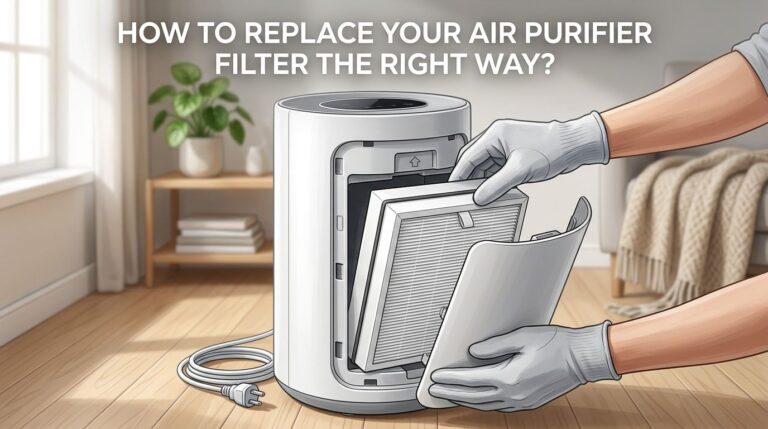
Open the purifier and inspect the filter area closely. Make sure the filter is installed the right way. Check for plastic wrap that was never removed from a new filter. That mistake blocks airflow fast and can make the purifier run poorly or stop behaving normally.
Look at the filter surface. If it is dark, packed, or dusty, airflow may be choked off. In some purifiers, that stress can make the fan run loud, run weak, or shut down after overheating. If the prefilter is washable on your model, clean it as directed. If the main HEPA filter is not washable, replace it instead of trying to rinse it.
The pro of checking the filter is that it solves a large share of airflow issues. The con is cost, because a new filter may be needed.
Still, this is one of the best first fixes. A purifier cannot move air well through a blocked filter, and a fan that fights bad airflow often becomes the next problem.
Check for Dust, Hair, and Debris Around the Fan Path
If the filter looks fine, inspect the air path. Look into the intake grille, outlet vent, and any visible blade area. Dust, pet hair, lint, and small bits of debris can gather there over time. Even a light layer can slow the blade. A thicker buildup can stop it.
Use a flashlight if needed. Turn the blade gently by hand only if the unit is unplugged and the design allows safe access. The blade should move smoothly. If it feels stuck, gritty, or uneven, dirt may be the reason.
This step has a strong pro. It often restores movement without replacing parts. The con is access. Some purifiers are easy to inspect, while others hide the fan deep inside the body.
Take your time. A purifier that sits near pet hair, smoke, kitchen grease, or heavy dust loads will need this check more often. Small blockages create bigger trouble than most people expect.
Clean the Fan Area the Right Way
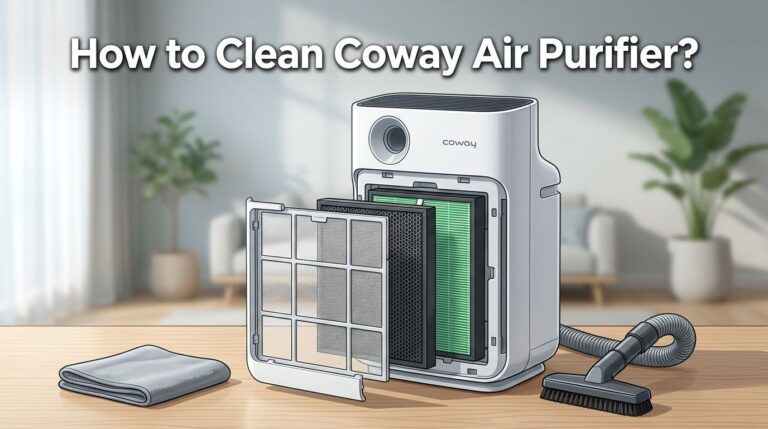
Once you find dust or buildup, clean it gently. Use a soft brush to loosen dirt. Use a vacuum on low suction to pull it away. Wipe reachable plastic surfaces with a dry or lightly damp cloth, then dry them fully before reassembly. If the unit has sensor openings, clean them with a dry cotton swab.
Do not soak the fan area. Do not spray cleaner inside the machine. Do not wash a HEPA filter unless the manual clearly says that filter is washable. Many HEPA filters are not meant for water, and washing them can ruin them.
The big pro of proper cleaning is better airflow and less stress on the motor. The con is that overcleaning can cause damage if you use water, harsh spray, or too much force.
A careful clean can fix noise, weak airflow, and a fan that struggles to start. It is one of the safest hands on methods you can try at home.
Reset the Unit After Cleaning or Filter Changes
Some air purifiers need a reset after you clean them or replace the filter. If the filter light stays on, the purifier may keep acting oddly. Some models need you to hold a button for a few seconds. Others use a fan speed button or filter reset key.
After reassembly, plug the unit back in and power it on. Set the speed manually. Then reset the filter indicator if your model uses one. If your purifier connects to an app, check for a firmware update too.
The pro of a reset is that it clears false warnings and gets the control system back in sync. The con is that reset steps vary by model, so you may need the manual.
This step matters more than many people think. A clean purifier with a stale alert or incorrect control state can still behave like it has a fault. Resetting is simple, and it often finishes the job.
Check Placement, Airflow, and Heat Buildup
Air purifiers need breathing room. If the unit sits tight against a wall, curtain, sofa, or shelf, the fan may struggle to pull in air. Blocked airflow can make the machine louder, weaker, or hotter than normal. Some models shut down to protect the motor if heat rises too far.
Move the purifier into open space. Leave room around the intake and outlet. Then test it again on a normal speed. If it works better after cooling down and moving away from obstructions, poor placement may have caused the stop.
The pro of this fix is that it costs nothing and supports long life. The con is that placement alone does not explain every failure, so you still may need deeper checks.
If the fan stops after running for a while, heat is a major clue. That pattern often points to clogged airflow, a stressed motor, or thermal protection kicking in.
Listen for Humming, Clicking, Grinding, or Silence
Sound gives you useful clues. A purifier that hums but does not spin may have a stuck blade, worn bearing, or motor trouble. Clicking can point to a control issue or something catching during startup. Grinding often suggests dirt, rubbing, or internal wear. Complete silence can mean no power is reaching the motor at all.
Also use your nose. A burning smell is serious. That can mean motor damage, wiring trouble, or overheating parts. Stop using the purifier right away if you notice that smell.
The pro of sound based diagnosis is that it helps narrow the fault fast. The con is that sounds can overlap, so you still need visual checks.
Still, this is a smart way to think. A humming fan is different from a silent fan. A grinding fan is different from one that spins freely but has no airflow. Those clues guide your next step.
Open the Case Only If You Feel Comfortable Doing It
If all the easy checks fail, you may need to inspect inside the body. Only do this if you are comfortable with small appliance repair. Unplug the unit first. Take photos as you go. Keep screws in order. Look for loose wires, dust packed around the motor, or a fan blade that slipped out of place.
Do not force clips or covers. Many air purifiers use tight plastic tabs, and breaking one can create a new problem. Also avoid touching control boards more than needed. If you see burned spots, melted connectors, or damaged wiring, stop.
The pro of opening the case is that you may find a simple loose connection or hidden blockage. The con is risk. You can void a warranty or damage the unit if you rush.
For newer units, warranty service is often the smarter move. For older units, a careful inspection may be worth trying if replacement cost is high.
Decide If You Should Repair, Service, or Replace the Purifier
At this stage, you need a practical decision. If the fan started working after cleaning, resetting, or replacing the filter, keep the purifier and stay on a regular maintenance routine. If the fan still does not spin and the motor hums, overheats, or smells burnt, a deeper internal fault is likely.
Repair makes sense when the purifier is expensive, fairly new, and still supported with parts or warranty help.
Service also makes sense if the design is hard to open or if the unit uses sealed electronics. Replacement makes more sense when the purifier is old, loud, unreliable, or close to the cost of repair.
The pro of repair is saving money if the fix is small. The con is time and uncertainty.
The pro of replacement is a fresh start. The con is higher upfront cost.
A good rule is simple. If the problem is external, clean it. If the problem is electrical, be careful. If the machine shows heat or burn signs, stop using it.
Build a Simple Maintenance Routine So It Does Not Happen Again
Once your purifier is running again, protect it with a simple routine. Check the filter every month. Vacuum prefilters when your model allows it. Replace main filters on time. Wipe the outside vents often. Keep the purifier away from walls, curtains, and dust heavy corners.
If you have pets, smoke, or a busy kitchen, inspect the intake area more often. These conditions load filters faster and add hair or grease to the fan path. Also make sure every new filter has all plastic removed before use.
The pro of routine care is fewer breakdowns and steadier airflow. The con is only that you must remember to do it. A phone reminder solves that.
An air purifier works best when airflow stays easy. That is the simple idea behind almost every fix in this guide. Clean path, correct settings, healthy filter, cool motor.
Frequently Asked Questions
Can a dirty filter really stop an air purifier fan from spinning?
Yes, it can. A heavily clogged filter restricts airflow and puts extra strain on the system. In some purifiers, that stress causes weak airflow, overheating, loud operation, or shutdown behavior. The fan may not be fully broken, but the unit may struggle so badly that it looks dead. Start with the filter before you assume the motor is gone.
Why does my air purifier hum but the fan does not move?
A humming sound usually means power is reaching the motor, but the blade is not starting properly. Dirt, hair, a stuck blade, internal wear, or motor trouble can cause that. Unplug the unit and check for blockages first. If the blade is clear and the hum stays, the purifier may need service.
Should I oil the fan motor myself?
In most cases, no. Many modern air purifiers are not made for user oiling. Adding oil in the wrong place can damage the unit or attract more dust. It is safer to clean the accessible fan path, replace the filter, reset the machine, and stop there unless your manual clearly says lubrication is allowed.
Is it safe to wash the HEPA filter?
Only if your manual says the filter is washable. Many HEPA filters are not washable at all. Water can damage the filter media and reduce performance. If the main filter is dirty and not labeled washable, replace it. A prefilter may be washable or vacuum safe, but always follow the model instructions.
When should I stop trying to fix it at home?
Stop if you smell burning, see melted plastic, find damaged wires, or notice the purifier gets very hot. Also stop if the case is hard to open or the unit is still under warranty. Those signs point to a deeper issue. At that point, service or replacement is the safer and smarter choice.

I’m Maya Brown, the voice behind Pure Breeze Vault. I write detailed, honest, and easy-to-follow air purifier reviews to help readers compare features, understand filter technologies, and choose products with confidence. My goal is to make research simpler, clearer, and more practical for anyone improving indoor air quality at home.