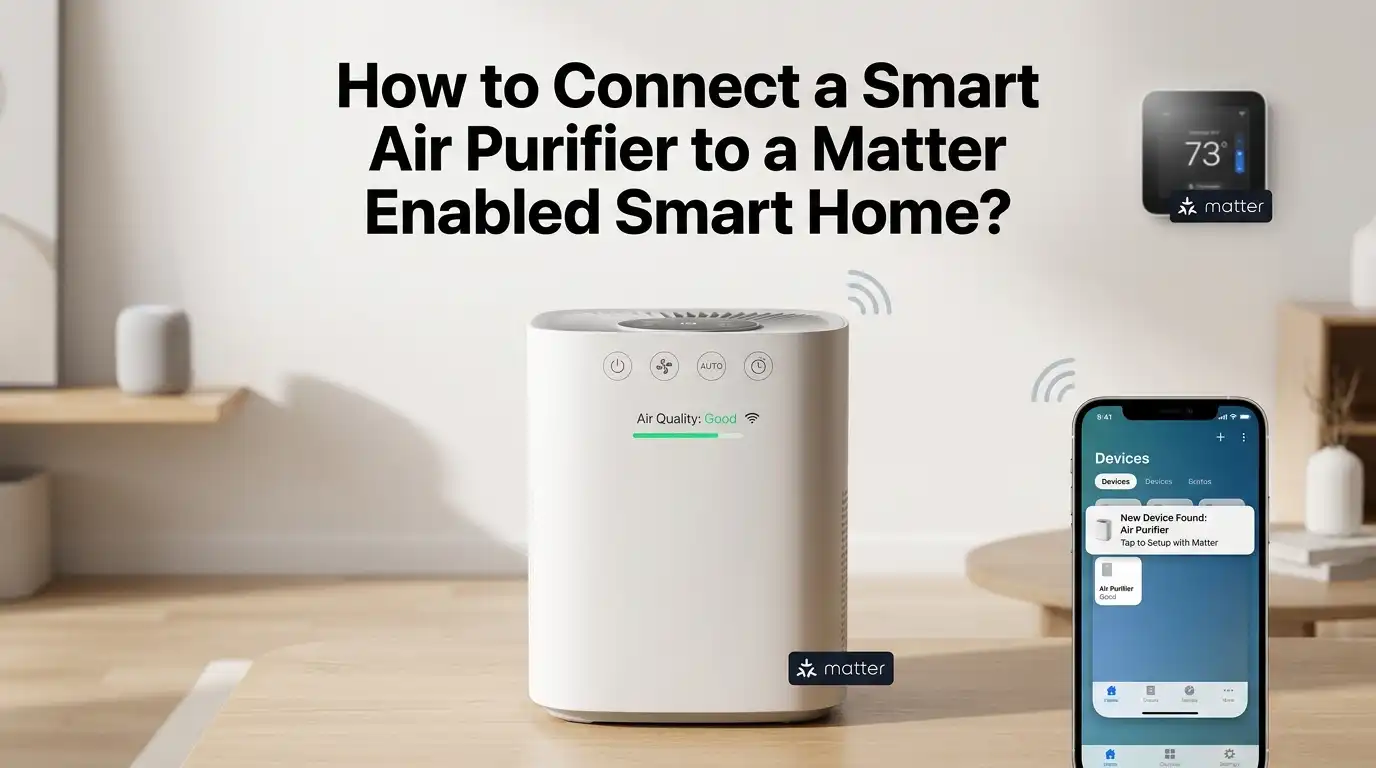
How to Connect a Smart Air Purifier to a Matter Enabled Smart Home?
You just bought a smart air purifier, and you want it to work with every voice assistant and smart hub in your home. That is exactly what the Matter protocol promises.
Matter is the universal smart home standard that lets devices from different brands talk to each other without the usual headaches. But connecting an air purifier to a Matter enabled smart home is not always as simple as scanning a code and walking away.
Many people get stuck during setup. They face pairing failures, Wi-Fi band conflicts, or discover their purifier does not natively support Matter at all.
In a Nutshell
- Matter is a universal smart home protocol that allows devices from different brands to communicate within one system. It works over Wi-Fi, Thread, and Ethernet, and it uses Bluetooth Low Energy for the initial device setup. If your air purifier supports Matter, it can work with Apple Home, Google Home, Amazon Alexa, SmartThings, and Home Assistant.
- Not all smart air purifiers support Matter yet. Only a handful of brands, including Welov, SwitchBot, AiDot, and Bosch, have released Matter enabled air purifiers so far. If your purifier does not support Matter natively, you can still connect it through a Matter bridge device like the Aqara Hub M3 or Homey Pro.
- The pairing process uses a QR code or a 12 digit numeric code printed on the device or its packaging. You scan this code with your smart home app to begin the secure commissioning process. Do not lose this code, because you will need it again if you ever reset the device.
- You can control your Matter air purifier from multiple platforms at the same time using a feature called Multi Admin Mode. This means one air purifier can respond to Siri, Alexa, and Google Assistant without needing separate setups from scratch.
- Setting up automations is where the real value lives. You can schedule your purifier to run at specific times, adjust fan speed based on routines, and integrate it with other smart home sensors for a fully hands free experience.
- Troubleshooting common issues usually comes down to checking your Wi-Fi band (2.4 GHz is required for most devices), restarting your Matter controller, or re-pairing the device with a fresh code.
What Is the Matter Protocol and Why Does It Matter for Air Purifiers
Matter is a smart home connectivity standard developed by the Connectivity Standards Alliance. It was built to solve a common problem: smart devices from different brands could not easily work together. Matter changes that by creating one shared language that all certified devices understand.
The protocol runs on Wi-Fi, Thread, and Ethernet. It uses Bluetooth Low Energy for the initial device pairing. This means your air purifier connects to your local network and communicates directly with your smart home hub without sending data through a distant cloud server.
For air purifiers, Matter support means you can control fan speed, switch between modes, set timers, and build automations from any compatible platform. You are no longer locked into a single app or ecosystem. The air purifier becomes a true part of your smart home rather than an isolated device with its own separate app.
Pros: Cross platform control, local communication for faster response, strong built in encryption.
Cons: Limited air purifier models support Matter today, and some platforms do not yet expose all air purifier features through their interface.
Check If Your Air Purifier Supports Matter
Before you start any setup process, you need to confirm that your air purifier actually supports the Matter protocol. Not every smart air purifier on the market has Matter built in. Many older models use only Wi-Fi with a proprietary app and have no Matter certification.
Look for the Matter logo on the product box or in the device specifications. This logo is a simple three arrow icon that confirms the product has passed certification. You can also check the Connectivity Standards Alliance product database or the manufacturer’s website for confirmation.
As of now, brands like Welov, SwitchBot, AiDot, xCREAS, and Bosch have released air purifier models with Matter support. The Welov P200 Pro was one of the earliest Matter enabled air purifiers available. SwitchBot offers an air purifier that doubles as a side table, and it connects through Matter as well.
If your air purifier does not list Matter support, do not worry. You still have options through bridge devices, which we will cover later in this guide.
Gather the Required Hardware Before Setup
A successful Matter setup requires a few pieces of hardware in place before you begin. Skipping this step is one of the most common reasons people run into problems during pairing.
First, you need a Matter controller. This is the hub or device that manages your smart home. Apple Home uses an Apple TV 4K (2nd generation or later), HomePod, or HomePod mini. Google Home uses a Nest Hub or Nest speaker. Amazon Alexa uses a compatible Echo device. Samsung SmartThings has its own dedicated hub. Home Assistant runs on a dedicated computer or Raspberry Pi.
Second, you need a stable Wi-Fi network. Most Matter air purifiers connect over 2.4 GHz Wi-Fi, so your router must broadcast this band. Many modern routers combine 2.4 GHz and 5 GHz into one network name, which can cause pairing failures. Separating these bands during setup often solves the issue.
Third, if you plan to use Thread based devices alongside your air purifier, you will need a Thread Border Router. Many Matter controllers already include this feature, but not all of them do. Check your hub’s specifications to be sure.
Locate Your Matter Pairing Code
Every Matter certified device ships with a unique pairing code. This code is essential for the setup process, and you cannot pair the device without it. The code usually appears in one of three forms: a printed QR code, a 12 digit numeric code, or an NFC chip.
Check the back or bottom of your air purifier first. Many manufacturers print the code directly on the device housing. If it is not there, look at the power cable, the quick start guide, or a card inside the packaging.
Keep this code safe. Matter QR codes are not single use. If you reset the device or need to pair it again, you will need the same original code. Consider taking a photo of the code and saving it in a secure folder on your phone.
If the code is damaged or missing, contact the manufacturer’s customer support. Some brands also display the pairing code within their companion app after the initial setup through their own platform.
Pros: The code system is simple and secure, requiring physical access to the device for pairing.
Cons: Losing the code can lock you out of future repairing, and replacement codes are not always easy to get.
Step by Step Pairing Process for a Matter Air Purifier
Once you have your hardware ready and your pairing code in hand, the actual connection process is straightforward. Here is how to do it across major platforms.
Open your smart home app on your smartphone. This could be Apple Home, Google Home, Amazon Alexa, or SmartThings. Tap the plus (+) button or find the option labeled “Add Device.” Select the Matter or new device option.
Your phone will activate its camera for QR code scanning. Point the camera at the Matter QR code on your air purifier. If you are using the numeric code instead, enter the 12 digits manually when prompted.
The app will now communicate with the air purifier over Bluetooth Low Energy to establish a secure channel. It verifies the device certificate against the Distributed Compliance Ledger, a public database of all certified Matter devices. After verification, the app sends your Wi-Fi credentials to the purifier so it can join your home network.
Finally, you will be asked to name the device and assign it to a room. Choose a clear name like “Bedroom Air Purifier” so voice commands work smoothly. The entire process usually takes under two minutes.
Connect a Non Matter Air Purifier Using a Bridge
If your air purifier does not support Matter natively, a Matter bridge can solve the problem. A bridge is a device that translates protocols like Zigbee, Bluetooth, or proprietary Wi-Fi into the Matter standard. This lets older or incompatible devices appear in your Matter smart home.
The Aqara Hub M3 is a popular bridge option. It supports Zigbee devices and exposes them to Matter platforms. The Homey Pro also functions as a bridge and supports a wide range of protocols. SwitchBot’s Hub 2 can bridge SwitchBot Bluetooth devices into Matter as well.
To use a bridge, first add the bridge device itself to your Matter smart home using its own pairing code. Then add your air purifier to the bridge through the bridge manufacturer’s app. Once connected, your air purifier will automatically appear in your Matter ecosystem as a bridged device.
Pros: Extends Matter compatibility to hundreds of devices that lack native support, and a single bridge can handle multiple devices.
Cons: Adds an extra piece of hardware, introduces a potential point of failure, and some features may not translate fully through the bridge.
Use Multi Admin Mode for Cross Platform Control
One of Matter’s most powerful features is Multi Admin Mode. This lets a single device work with more than one smart home platform at the same time. Your air purifier can respond to Siri, Alexa, and Google Assistant simultaneously without any conflict.
Here is how it works. You first pair the air purifier with your primary platform using the original QR code. Then, from within that platform’s app, you find the option to share the device with another platform. This option may appear as “Turn On Pairing Mode,” “Enable Other Services,” or “Linked Matter Apps.”
The app generates a new temporary pairing code. You then open the second platform’s app and use this new code to add the device there. Do not reset the device using its hardware button, or you will break the connection with the first platform.
This feature is especially useful in households where different family members prefer different voice assistants. One person can control the air purifier through Apple Home while another uses Google Home, and both work without any issue.
Set Up Automations and Routines for Your Air Purifier
Manual control from your phone is convenient, but automations are where a smart air purifier truly shines. You can create rules that adjust your purifier’s behavior based on time, location, or input from other sensors.
Most Matter platforms support basic scheduling. You can tell your air purifier to turn on at 9 AM and turn off at 5 PM in your home office. You can set the bedroom purifier to run on its lowest fan speed during sleeping hours. You can also crank the speed up during cooking times in the room closest to your kitchen.
For more advanced automations, pair your air purifier with an air quality sensor. Some platforms let you create routines where the purifier increases its speed when the sensor detects elevated particulate levels. You can also tie the purifier into “Good Morning” or “Good Night” scenes that control multiple devices at once.
Pros: Saves energy by running the purifier only when needed, reduces noise during quiet hours, and creates a truly hands free experience.
Cons: Advanced automations may require a separate air quality sensor, and not all platforms support the same level of automation detail.
Troubleshoot Common Matter Connection Issues
Even with a smooth protocol like Matter, things can go wrong during setup. Here are the most common problems and how to fix them.
Pairing fails during QR code scan. Make sure your phone and the air purifier are on the same network. Check that your Wi-Fi router is broadcasting a 2.4 GHz band that is accessible to the purifier. Temporarily separating your 2.4 GHz and 5 GHz networks often resolves this.
Device shows as unresponsive after pairing. Restart your Matter controller hub and your air purifier. Ensure both devices have the latest firmware updates. A simple reboot clears most temporary communication glitches.
The app cannot find the air purifier. Put the purifier into pairing mode by following the manufacturer’s instructions. Some devices need a long press on a specific button to activate Bluetooth broadcasting. Also, make sure Bluetooth is enabled on your phone.
Multi Admin pairing fails. Generate a fresh sharing code from the primary platform. Old codes expire after a few minutes. Also, confirm that the second platform supports the air purifier device category through Matter.
Understand What Features Matter Currently Supports for Air Purifiers
Matter is still growing, and not every air purifier feature is fully supported across all platforms yet. Knowing these limits helps you set realistic expectations before and after setup.
Currently, most Matter platforms support on/off control and fan speed adjustment for air purifiers. These are the two features you can count on across Apple Home, Google Home, Alexa, and SmartThings. Setting timers through routines or automations is also widely available.
Mode switching, such as toggling between auto mode and manual mode, is supported in the Matter specification but not always implemented by every platform. Some platforms may display your air purifier as a simple fan device rather than a full featured purifier.
Air quality data reporting is an area that is still developing. While many smart air purifiers have built in sensors that measure particulate matter, this data does not always flow through Matter to your smart home dashboard. You may need to check the manufacturer’s own app for detailed air quality readings until platforms catch up.
Pros: Core controls work reliably across platforms, and feature support improves with each Matter version update.
Cons: Advanced features like air quality reporting and detailed mode control may still require the manufacturer’s dedicated app.
Keep Your Firmware and Apps Updated
Smart home technology improves frequently, and Matter is no exception. Both the Matter protocol and individual device firmware receive regular updates that add features, fix bugs, and improve security.
Check your air purifier manufacturer’s app periodically for firmware update notifications. Many brands push updates over the air, so your purifier can update while it runs. Some updates may add new Matter features that were not available at launch.
Keep your smart home platform apps updated as well. Apple, Google, Amazon, and Samsung regularly release updates that improve Matter device handling. A platform update might suddenly give you access to a purifier feature that was previously hidden or unsupported.
Your Matter controller hardware also receives updates. Make sure your Apple TV, HomePod, Echo, or Nest Hub is running the latest software version. Outdated controller firmware is a common and often overlooked cause of connection instability.
Choose the Right Matter Platform for Your Home
If you are building your smart home from scratch, the platform you pick as your primary Matter controller sets the foundation for everything else. Each platform has strengths and weaknesses that affect how well your air purifier integrates.
Apple Home offers strong privacy and a clean interface but requires Apple devices for setup and control. It works well with Thread devices and provides reliable local control. However, it supports fewer Matter device categories than some competitors.
Google Home works on both Android and iOS and has deep voice assistant integration. It provides a good range of Matter device support and handles automations through its app. Google’s Nest Hub also serves as a visual dashboard.
Amazon Alexa has the largest ecosystem of compatible devices and works across many Echo products. Its routine system is flexible and powerful. However, Alexa’s Matter implementation has been slower to support some device types.
SmartThings from Samsung is a strong choice for users who want advanced automation options and broad device compatibility. The SmartThings Station and Hub both serve as Matter controllers with built in Thread Border Routers.
Home Assistant is the best option for power users who want full control. It requires more technical knowledge but offers the deepest customization and supports the widest range of integrations.
Future of Matter and Smart Air Purifiers
The Matter protocol continues to evolve with new versions adding more device types and features. Matter 1.4, released in late 2024, introduced scheduling support and improved Thread network management. Future updates are expected to bring even better air quality sensor integration and more detailed device controls.
More air purifier manufacturers are adopting Matter with each passing quarter. As the standard grows, you can expect wider product selection and deeper feature support across all major platforms. The days of being locked into a single app for your air purifier are ending.
The Thread protocol is also maturing. Thread 1.4 addressed a major issue where mixed brand Thread Border Routers could create separate mesh networks. As these improvements reach consumer devices, Thread based air purifiers may offer even more reliable low power connectivity.
If you are buying an air purifier today, choosing one with Matter support is a smart long term investment. Even if some features are limited now, software updates will continue to unlock new capabilities over time.
Frequently Asked Questions
What is the Matter protocol for smart home devices?
Matter is a universal smart home standard developed by the Connectivity Standards Alliance. It allows devices from different brands to communicate using one shared protocol. Matter runs over Wi-Fi, Thread, and Ethernet. It uses Bluetooth Low Energy for the initial device pairing. The goal is to eliminate brand lock in and let your devices work together regardless of manufacturer.
Which smart air purifiers currently support Matter?
Several brands offer Matter certified air purifiers. These include Welov with the P200 Pro and P100 Pro, SwitchBot with its Air Purifier Table, AiDot, xCREAS, and Bosch with the Air 2000i. The list is growing as more manufacturers adopt the standard. Check the Connectivity Standards Alliance product database for the latest certified models.
Can I connect a non Matter air purifier to a Matter smart home?
Yes. You can use a Matter bridge device to bring a non Matter air purifier into your ecosystem. Bridges like the Aqara Hub M3, Homey Pro, or SwitchBot Hub 2 translate other protocols into Matter. You first add the bridge to your Matter home, then connect the air purifier to the bridge through the bridge manufacturer’s app.
Do I need a separate hub to use Matter with my air purifier?
Most Matter air purifiers connect over Wi-Fi, so you need a Matter controller rather than a traditional hub. Apple Home uses an Apple TV or HomePod. Google Home uses a Nest device. Amazon uses a compatible Echo. SmartThings has its own hub. If your air purifier uses Thread instead of Wi-Fi, you will also need a Thread Border Router, which is built into many of these same controller devices.
Why does my Matter air purifier keep disconnecting?
The most common causes are Wi-Fi band issues, outdated firmware, or router instability. Make sure your purifier connects to a 2.4 GHz network, as many Matter devices do not support 5 GHz. Restart your router, your Matter controller, and the air purifier. Check for firmware updates on both the purifier and your smart home hub. If problems persist, try removing the device from your platform and re-pairing it using the original QR code.
Can I control my Matter air purifier with multiple voice assistants?
Yes. Matter supports Multi Admin Mode, which lets a single device connect to multiple smart home platforms at the same time. You first pair the purifier with one platform, then use that platform’s app to generate a sharing code for the next platform. This way, Siri, Alexa, and Google Assistant can all control the same air purifier without conflict.

I’m Maya Brown, the voice behind Pure Breeze Vault. I write detailed, honest, and easy-to-follow air purifier reviews to help readers compare features, understand filter technologies, and choose products with confidence. My goal is to make research simpler, clearer, and more practical for anyone improving indoor air quality at home.