Coway Airmega 300 Smart Air Purifier Review 2026: Still Worth It?
Air quality news keeps getting louder. Wildfire smoke drifts across states. Pollen counts climb earlier each spring. Indoor dust never really goes away. So you start shopping, and the same name shows up again and again: Coway.
The Coway Airmega 300 has been around for years. It still sells well in 2026. That alone says something. But older hardware also means missing features, and newer rivals have closed the performance gap.
I spent weeks with this unit in a living room, a bedroom, and a home office. I tracked noise, air quality readings, filter costs, and the small annoyances that reviews often skip. This guide covers all of it, including the parts Coway would rather you ignore.
In a Nutshell:
- Performance is the main reason to buy. The Airmega 300 pushes a verified CADR near 296 for smoke, 299 for dust, and 390 for pollen. In real room testing it cleared heavy incense smoke in about 26 minutes. That is genuinely strong output for a unit this size.
- Coverage claims need context. Coway advertises 2,512 square feet, but that figure assumes one air change per hour. For allergy relief you want four or five air changes, which puts the realistic room size closer to 450 to 500 square feet.
- Two filters beat one. The unit draws air through both side panels. Each side holds a washable pre filter, an activated carbon layer, and a Green True HEPA filter. Airflow stays high and filter life stretches longer.
- The base model is not actually smart. This matters. The standard Airmega 300 has auto mode and an air quality light, but no WiFi and no app. The 300S model adds app control and voice assistant support for a modest price bump.
- Running costs add up. Expect roughly $55 per year in electricity and $90 per year in genuine filters. That is around $145 annually before you factor in the purchase price.
- Real flaws exist. Thin legs mark carpet, side panels pop off too easily, and the startup chime is hard to love.
Coway Airmega 300 Smart Air Purifier Overview


Last update on 2026-10-08 / Affiliate links / Images from Amazon Product Advertising API
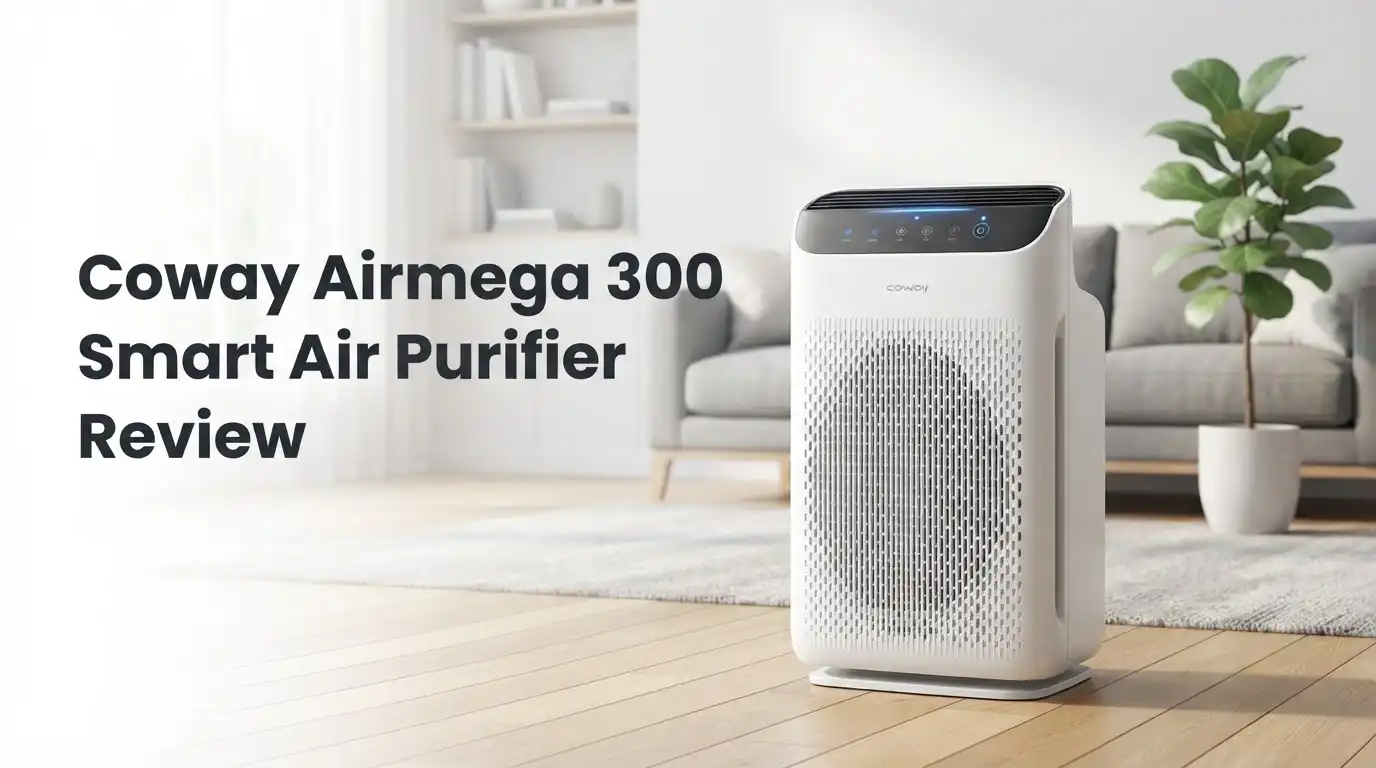
The Airmega 300 is a large room tower purifier built by Coway, a Korean company with more than three decades in air and water filtration. The model number is AP 1515H. It stands 21.2 inches tall and measures 13.6 inches on each side. Weight sits at 21.4 pounds, which sounds heavy until you notice the recessed handles on both sides.
Air enters through both side panels and exits through the top grille. This dual intake design is the core idea. Two filter stacks means twice the surface area, so the fan does not have to work as hard to move the same volume of air.
On the front you get a circular LED ring that shifts color based on particle readings. Blue means good. Purple means moderate. Pink means unhealthy. Red means very unhealthy. The transitions fade smoothly instead of flickering, which keeps it calm in a dark room.
Four touch controls sit on top: power, fan speed with auto mode, timer, and a light toggle.
Unboxing the Airmega 300
The box arrives tall and narrow, printed with product photos from every angle. Coway clearly cares about presentation. You see the unit before you open anything.
Inside, foam end caps hold the purifier steady. A plastic sleeve covers the body. Lift it out by the side handles and it feels lighter than expected for its footprint.
Here is the step most people miss. Both filters ship wrapped in plastic. You must pull off each magnetic side panel, remove the pre filter clip, slide out the Max2 filter, strip the wrapping, and reinstall. Skip this and your purifier will hum along doing absolutely nothing. The quick start card mentions it, but it is easy to overlook.
The power cord runs about eight feet. There is no remote in the box. Total setup time came to roughly six minutes, including the awkward moment where I realized the panels are magnetic and not screwed on.
Design and Build Quality
The Airmega 300 looks good in a living room. The white body with a darker grey top reads as modern without shouting. Coway added a textured grille pattern on the front panel, which is purely decorative but breaks up what would otherwise be a blank slab.
Now the honest part. The materials feel plasticky up close. The side panels detach with very little force. Bump the unit while vacuuming and a panel may slide off. They snap back on easily, but the flex in the plastic does not match the price tag.
The four thin legs are another miss. They raise the unit about an inch for bottom airflow, which is fine on hardwood. On plush carpet they sink in and leave four permanent dimples. Wheels or a flat base would have solved this years ago.
The top grille has wide slots. Small objects fall in. Keep coins and earrings away from it.
Top 3 Alternatives for Coway Airmega 300

Last update on 2026-10-06 / Affiliate links / Images from Amazon Product Advertising API
Levoit Core 600S Smart Air Purifier

Last update on 2026-10-06 / Affiliate links / Images from Amazon Product Advertising API
Winix 5510 Air Purifier with App Support

Last update on 2026-10-06 / Affiliate links / Images from Amazon Product Advertising API
Blueair Blue Pure 211i Max Smart Air Purifier
How the HyperCaptive Filtration Works
Coway calls its system HyperCaptive. Each side of the unit holds a three layer stack, and both sides run at once.
Stage one is the washable pre filter. It is a fine mesh screen that traps hair, lint, and large dust. You rinse it under a tap every two to four weeks and let it dry fully. This stage never needs replacing, which saves real money over time.
Stage two is the activated carbon layer. Carbon adsorbs odor molecules and volatile organic compounds. Cooking smells, litter box odor, and cigarette residue all get reduced here. Carbon is not magic though. It saturates, and once full it stops working.
Stage three is the Green True HEPA filter. Coway rates it at 99.97 percent capture for particles at 0.3 microns, with higher claimed efficiency on ultrafine particles. This catches pollen, mold spores, pet dander, and smoke particulate.
There is no ionizer and no UV lamp here, which means no ozone output. For sensitive lungs, that absence is a feature.
Real World Cleaning Performance
Numbers on a box mean little. Behavior in a room means everything.
Independent testing with incense smoke in a sealed office showed the Airmega 300 clearing airborne particulate in roughly 26 minutes on maximum fan speed. That matches the Honeywell HPA300 and sits within a minute of the Levoit LV H133. For a unit this compact, that is excellent.
In my own living room at about 400 square feet, auto mode handled normal daily life easily. The light stayed blue most of the time. Cooking bacon turned it pink within forty seconds, and the fan ramped to top speed on its own. Air returned to blue in under ten minutes.
The sensor responds fast. Faster than several competitors I have used. It picks up aerosol sprays, burnt toast, and vacuum exhaust almost immediately.
One caveat worth repeating. Treat 2,512 square feet as marketing. Aim for 450 to 500 square feet if you want allergy grade turnover.
Noise Levels in Daily Use
Coway rates the Airmega 300 between 22 and 52 decibels. Those figures hold up.
On sleep mode the unit is close to silent. You hear a soft air movement sound, nothing mechanical. I slept beside it without noticing. It is quieter than a ceiling fan on low.
Speed two and speed three stay comfortable for television watching and phone calls. The pitch is a smooth white noise rather than a whine, which makes it easier to ignore than cheaper purifiers.
Maximum speed is loud. There is no way around that. At 52 decibels you will raise your voice during a conversation. The upside is that auto mode rarely holds top speed for more than a few minutes.
Then there is the chime. The Airmega 300 plays a cheerful jingle every time you power it on or off. You cannot disable it. In a quiet bedroom at 6 a.m. it is genuinely irritating.
Smart Features and the 300S Upgrade

Last update on 2026-10-08 / Affiliate links / Images from Amazon Product Advertising API
Here is the detail buyers get wrong most often. The standard Airmega 300 is not WiFi connected. Its intelligence is limited to the onboard particle sensor driving auto mode, plus a useful energy saving behavior where the fan shuts off after ten minutes of clean readings and restarts when pollution returns.
If you want phone control, you need the Airmega 300S. Same body, same filters, same performance. The S adds WiFi, the Coway IoCare app, remote fan control, live air quality graphs, filter life tracking, and compatibility with Google Home and Amazon Alexa.
Is the upgrade worth it? For most people in 2026, yes. The price gap is usually small. Being able to check indoor air quality from work, or switch the unit on before you get home, changes how often you actually use it.
The app itself is functional rather than beautiful. Setup takes a few minutes and occasionally needs a router reset.
Running Costs and Filter Replacement
Buying the purifier is only part of the spend.
Electricity comes to roughly $55 per year running continuously, based on measured peak draw around 52.5 watts and average United States energy rates. Auto mode lowers this further because the fan idles most of the day. The unit carries Energy Star certification.
Filters are the bigger line item. Genuine Coway Max2 replacement sets include both filters and typically run $85 to $99. Coway recommends yearly replacement. Third party filters sell for under $35, though quality varies and they may affect warranty coverage.
Total annual cost lands near $145 with genuine filters. Compare that to Levoit and Winix, where replacement filters often cost $30 to $50 per year.
The washable pre filter helps. Rinsing it monthly measurably extends HEPA life. In dusty homes, that habit alone can push a filter set toward fifteen months.
What the Airmega 300 Does Not Do Well
Every honest review needs this section. Here is where the Airmega 300 falls short.
It is not smart out of the box. Buying the base model expecting app control leads to disappointment.
No remote control. You walk to the unit for every adjustment.
The jingle cannot be turned off. A simple firmware option would fix this. Coway never added one.
Carpet damage is real. Four narrow legs concentrate 21 pounds into tiny points.
Panels feel cheap. They detach too easily and flex when handled.
Filter prices are high. Nearly $90 per year is steep next to competitors.
Carbon capacity is modest. For heavy smoke or strong chemical odors, a dedicated carbon purifier does better.
The design is dated. Launched years ago, it lacks PM2.5 numeric displays, auto dimming screens, and the washable fabric covers newer rivals offer.
None of these ruin the product, but they explain why some buyers choose elsewhere.
Pros and Cons
Pros
- Strong verified CADR around 296 for smoke and 390 for pollen
- Cleared a smoke filled test room in roughly 26 minutes
- Dual side filtration doubles surface area and extends filter life
- Washable pre filter cuts long term costs
- Fast, accurate air quality sensor with smooth color feedback
- Genuinely quiet on sleep and low speeds
- No ozone, no ionizer, no UV
- Energy Star certified with low power draw
- Five year warranty from Coway
- Clean design that suits most living rooms
- Side handles make moving it simple
Cons
- No WiFi or app on the base model
- Startup and shutdown chime cannot be disabled
- No remote control included
- Thin legs leave marks on carpet
- Side panels detach too easily and feel flimsy
- Genuine filters cost close to $90 per year
- Advertised square footage is optimistic
- Loud at maximum fan speed
- Top grille slots swallow small objects
Who Should Buy the Coway Airmega 300
This purifier fits specific people very well.
Allergy sufferers benefit most. The high pollen CADR and dual HEPA stacks pull dander and pollen out of a room fast. If you wake with congestion, this unit helps within days.
Pet owners get solid results too. The washable pre filter catches fur before it clogs the HEPA layer, and carbon handles litter odor reasonably.
Open plan living rooms between 350 and 500 square feet are the sweet spot. Two intake sides handle furniture obstruction better than single intake towers.
Who should skip it? Anyone on a tight budget, since Levoit and Winix deliver similar numbers for less money upfront and far less per year in filters. Also skip it if you need numeric PM2.5 readouts or deep smart home integration. And if silence matters above all, test the chime first.
Setup and Maintenance Tips
A few habits keep this unit performing.
Remove all filter wrapping before first use. Both sides.
Place it with clearance. Leave at least 12 inches on each side and 24 inches above. Blocking either intake panel cuts performance sharply.
Rinse the pre filters monthly. Cool water, no soap, dry fully for 24 hours before reinstalling. Installing a damp filter causes odor.
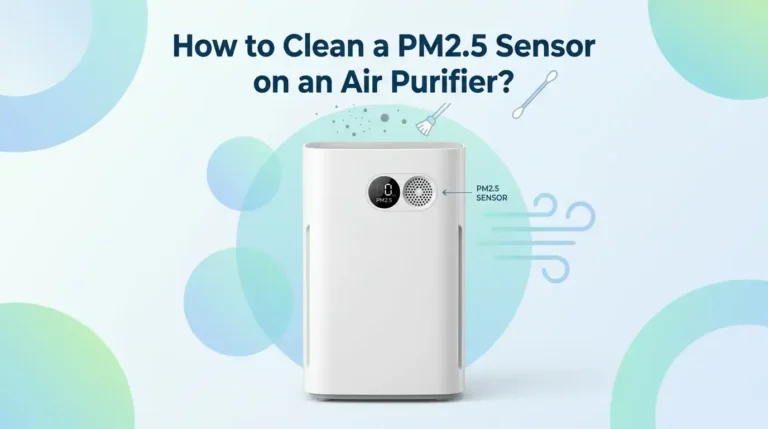
Clean the air quality sensor every two months. Open the front panel, locate the sensor housing, and gently wipe the lens with a dry cotton swab. A dusty sensor reports false readings and keeps the fan running longer than needed.
Vacuum the top grille occasionally so exhaust stays unobstructed.
Reset the filter indicator after each change by holding the relevant button for about three seconds.
Follow these and the Airmega 300 will run reliably for years. Owners regularly report five plus years of daily use without failure.
Final Verdict
The Coway Airmega 300 earns its reputation on performance, not features. It moves a lot of clean air quietly, it responds quickly to pollution, and it keeps working year after year.
The flaws are real and worth knowing. The base model is not smart despite how it gets marketed. Filters cost more than they should. The chime is a small daily annoyance. Build quality does not quite match the price.
Still, I would buy it again, with one change. Spend the extra few dollars on the 300S. You get identical cleaning with app control, remote operation, and voice assistant support. In 2026 that is the version that makes sense.
Rating: 4.3 out of 5. A proven performer with dated extras.
FAQs
Is the Coway Airmega 300 actually a smart air purifier?
Partly. The base Airmega 300 has a particle sensor and auto mode, so it adjusts fan speed on its own. It has no WiFi, no app, and no voice control. For full smart features you need the Airmega 300S.
What room size does the Airmega 300 really cover?
Coway advertises 2,512 square feet at one air change per hour. For meaningful allergy relief at roughly five air changes per hour, plan on 450 to 500 square feet.
How often should I replace the filters?
Coway recommends every 12 months with normal use. Wash the pre filter monthly to extend HEPA life. The filter indicator light tells you when replacement is due.
Does the Airmega 300 produce ozone?
No. It uses mechanical filtration only, with no ionizer and no UV lamp. That makes it safe for people with asthma and chemical sensitivities.
Can I stop the startup jingle?
Unfortunately no. There is no setting to disable the chime on the Airmega 300. It plays on power on and power off.
Is the Airmega 300 or 300S better value?
The 300S usually costs slightly more and adds WiFi, app control, scheduling, and voice assistant support. Cleaning performance is identical. Most buyers find the 300S worth the small premium.
Will third party filters work?
Yes, several brands fit. They cost far less, around $30 per set. Filtration quality is inconsistent, and using them may affect warranty claims with Coway.

I’m Maya Brown, the voice behind Pure Breeze Vault. I write detailed, honest, and easy-to-follow air purifier reviews to help readers compare features, understand filter technologies, and choose products with confidence. My goal is to make research simpler, clearer, and more practical for anyone improving indoor air quality at home.